The club poster says Everyone welcome. A first-year student sees it between lectures and still has questions. Will everyone else already know what to do? Do I need to bring anything? Can I come on my own? A small task they can picture is a good place to start.
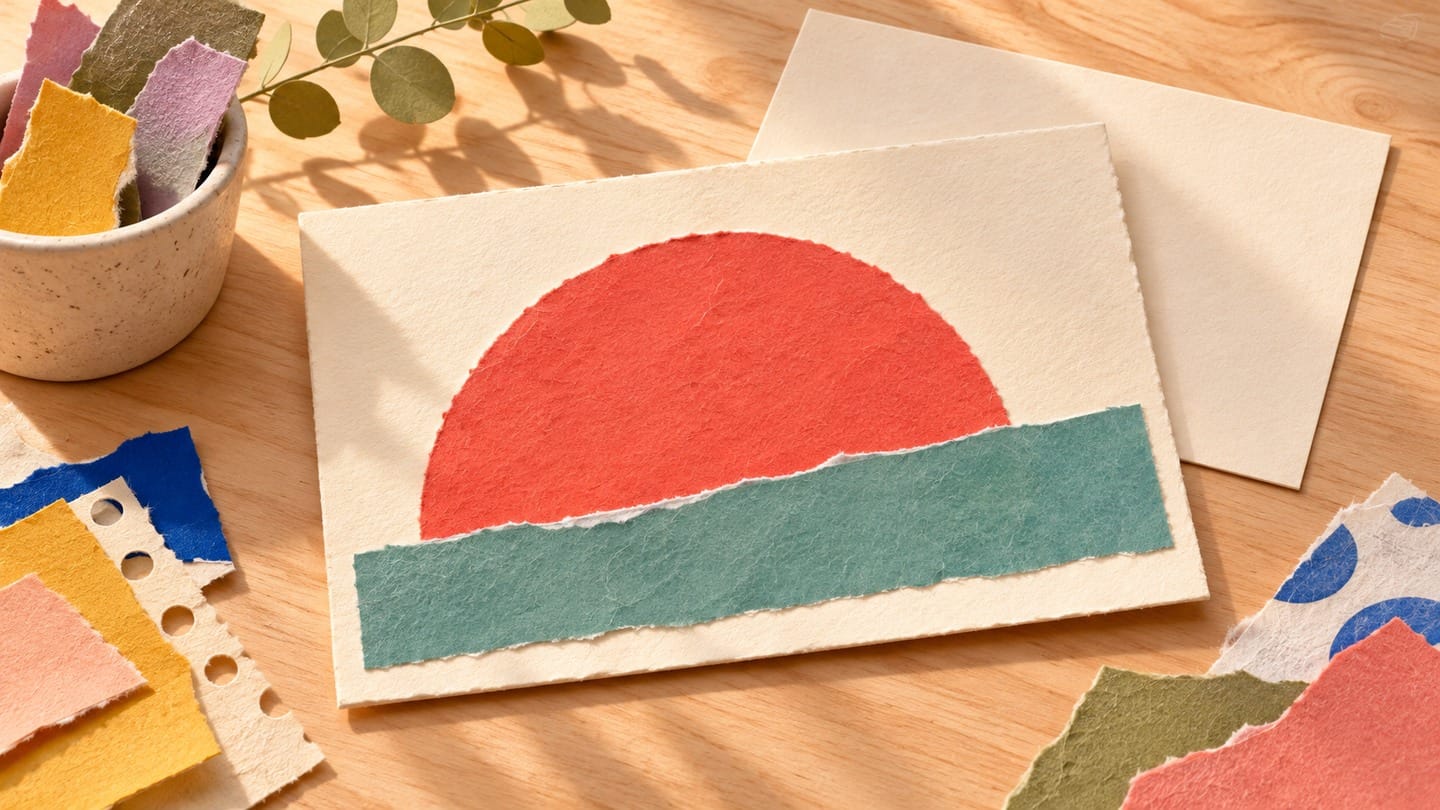
Imagine a campus collage club setting out blank postcards and a tray of pre-cut paper. A new visitor can choose a piece of colour, place it on the card and move it around until they like it. That’s something you can show in five seconds. The collage club is a fictional example. The plan is for your own session.
Choose the first thing a visitor can do
Walk through the first minute as someone who has never attended. What can they touch, choose or try as soon as they sit down? Pick one action that your volunteers can actually offer every newcomer. For the collage table, try choose one shape and place it on a blank card. Leave the glue for later so people can rearrange their work.
Put a few pieces out where they’re easy to reach and keep a stack of blank cards visible. Check that somebody can explain the first step when the table gets busy. If supplies are limited or people need to reserve a place, say so up front.
The same test works for other clubs. A campus newspaper could let visitors draft one caption for a photo the team has permission to use. A gardening club could set out two empty seed packets and ask visitors to choose which plant they want to learn about. Pick the task you’ve actually planned for the day and name it in the invitation.
Write the invitation someone can act on
Use the collage version below as a starting point. Replace every bracketed detail and keep the parts about materials and experience only if they’re true for your event.
Try making a collage postcard with us
Choose a paper shape and start a card you can take home. We’ll have cards, pre-cut paper and glue at the table. You can come on your own, and you don’t need any collage experience.
When [Day, date and start time]
Where [Campus, building, room and a useful landmark if needed]
Bring [Nothing if supplies are provided, or list what’s needed]
Join [Walk in or use the confirmed sign-up link. Include a deadline or capacity limit if there is one.]
Send the wording to someone outside your committee. Ask them where they would go and what they would do when they got there. If they say “register somewhere?” or “watch the committee make cards?”, clarify the next action before you add a video.
Show one paper shape moving onto the card
If you want a little motion, set up the blank cream card on a plain table. Put a single coral paper semicircle just to its left. Fix your phone overhead so the background and card stay aligned. Take one photo. Slide the same piece a short distance to the right, fully onto the card, and take a second photo. Keep the same crop and light on both. Use two separate files in the order you want the action to play.
You can try this transition with the free image-to-video generator on OpenMaker. OpenMaker describes its free workflow as powered by MiniMax H3 and lists five-second, 480p clips with unlimited attempts and no signup required. Add the starting photo first, then the ending photo. Choose the shape you prepared the photos for, such as 16:9 for an overhead landscape shot. When trying motion prompts, start with one short, specific request.
Fixed overhead shot. Slide the single coral paper semicircle slowly to the right from beside the cream card onto the left half of the card. Keep the semicircle the same size and orientation. Keep the card, tabletop and camera still. End with the piece resting fully on the card.
If a clip completes, check that the shape still looks like the piece on your table and lands in the intended spot. If it changes colour, doubles or takes the whole card with it, try one shorter move or use your still photo.
Keep the details easy to find
Put the short clip or still above the invitation text. Keep the room, time and joining instructions as editable text in the post, where people can read them without playing anything. A short visual description can say, “A coral paper shape slides onto a blank postcard.” The copy should still make sense to someone who never sees the clip.
Before sharing, open the invitation on your phone. Look for the room and the sign-up instruction without pressing play. Then read the first sentence as if you’ve never set foot at a club table. You want to be able to answer “What will I do there?” in one breath. For this table, it’s simple. You’ll pick a piece of paper and start a postcard.