WooCommerce checkout speed plays an important role in the shopping experience. Customers expect their payments to process quickly, especially during flash sales, seasonal promotions, and other high-traffic events. When checkout pages become slow, shoppers may abandon their purchases before completing an order.
Although website caching, CPU performance, and server memory receive considerable attention, storage performance is another important factor. Every WooCommerce order involves database operations, including saving customer details, creating order records, and updating product inventory.
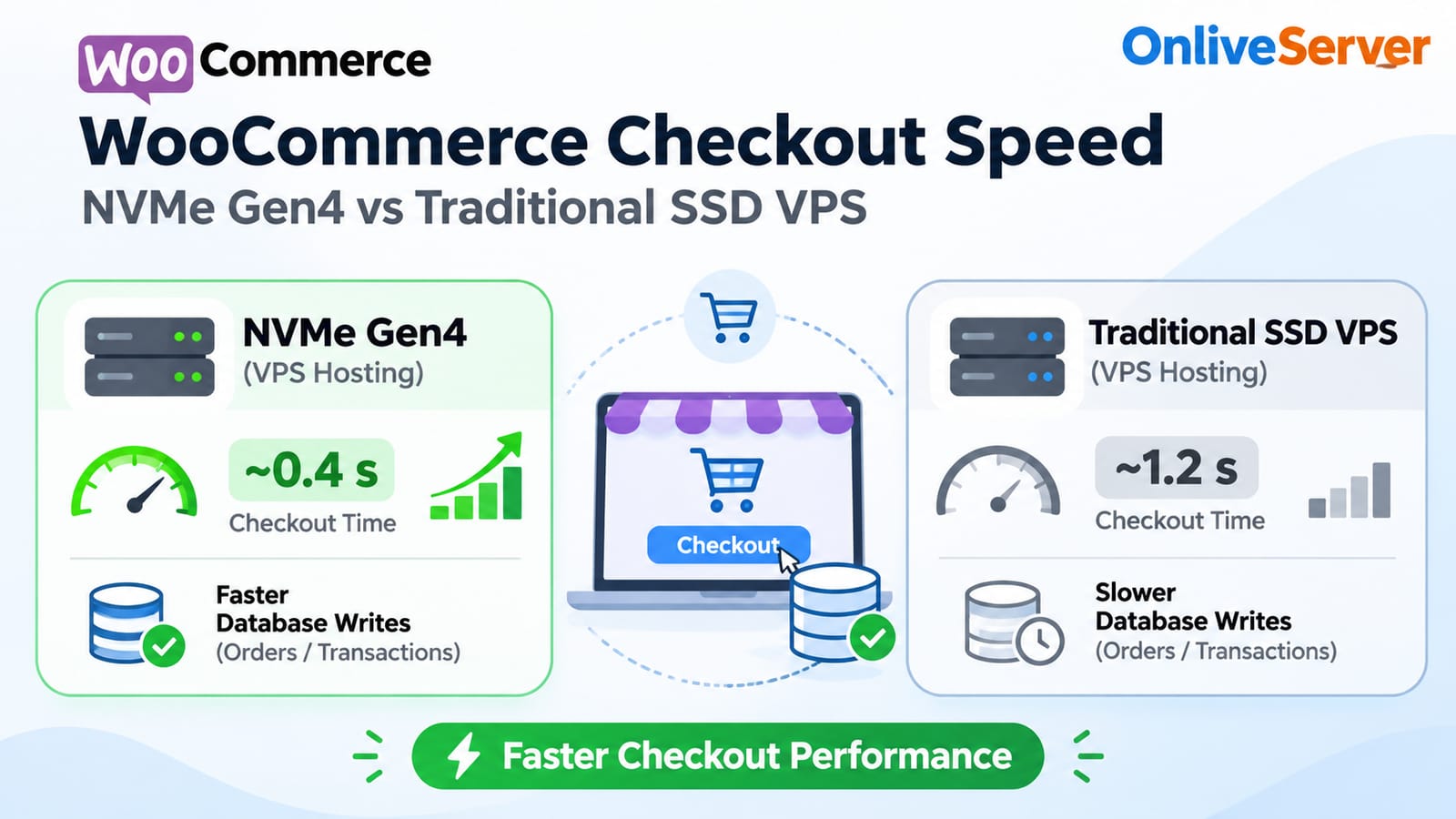
An NVMe VPS for WooCommerce can improve storage-related database performance because NVMe technology supports faster data access and more simultaneous input/output operations than traditional SATA SSD storage.
However, faster storage does not automatically guarantee faster checkout. Understanding how database workloads interact with server hardware is essential before investing in an upgrade.
Why WooCommerce Checkout Speed Depends on Server Storage
WooCommerce uses a database to manage products, customers, orders, inventory, and payment information.
When a customer places an order, several processes take place. WooCommerce validates the cart, creates an order, records relevant customer information, calculates totals, and communicates with the selected payment gateway.
Depending on the store configuration, the system may also update stock quantities, generate order notes, and trigger additional plugin activity.
These operations create database requests that require processing.
On smaller stores, a conventional SSD VPS may handle the workload efficiently. Problems are more likely to appear when multiple customers submit orders within a short period.
For example, a promotional campaign can bring hundreds of shoppers to checkout simultaneously. Each transaction may generate several database operations.
If the storage system struggles to complete the required reads and writes, database requests can spend longer waiting.
That delay may eventually affect checkout response times.
Storage performance becomes particularly important because WooCommerce checkout requests contain customer-specific information and cannot simply be served from a public page cache.
NVMe Gen4 vs Traditional SATA SSD: What Changes?
Traditional SATA SSDs and NVMe drives both use flash memory, but their communication interfaces are different.
SATA SSDs operate through the Serial ATA interface. They provide significantly better performance than mechanical hard drives, but their maximum transfer speeds are limited by the SATA connection.
NVMe drives use the PCI Express interface, which supports substantially greater bandwidth and more efficient command processing.
PCIe Gen4 NVMe storage can provide higher throughput and handle larger numbers of simultaneous storage operations.
For WooCommerce hosting, this difference becomes relevant when the database processes frequent order updates and concurrent transactions.
A traditional SATA SSD can still perform well on a lightly loaded website. The advantages of NVMe become more noticeable when storage activity increases enough to expose the limitations of the older interface.
However, hosting performance also depends on the physical drives, virtualization platform, storage configuration, and provider-imposed limits.
An NVMe label alone does not establish how quickly a particular VPS will process WooCommerce orders.
Why Random IOPS Matter More Than Sequential Read Speed
Hosting companies often promote storage performance using maximum sequential transfer speeds.
These measurements describe how quickly storage can read or write large, continuous blocks of data.
Sequential throughput is useful for copying large files, transferring backups, and handling other substantial data transfers.
WooCommerce checkout operations usually behave differently.
Database activity often involves many small reads and writes distributed across tables, indexes, and transaction logs.
This makes random input/output performance particularly relevant.
IOPS stands for input/output operations per second. It measures the number of individual storage operations a system can complete during one second.
When hundreds of WooCommerce customers place orders simultaneously, the database may need to process numerous smaller operations.
Storage capable of handling higher random IOPS with consistently low latency can help prevent storage-related queues from building up.
For database workloads, individual operation latency and transaction completion time are often more informative than advertised sequential bandwidth.
A store may have plenty of unused transfer bandwidth while still experiencing slow database responses because individual storage operations take too long to complete.
How NVMe Storage Affects MySQL Database Performance
WooCommerce commonly uses MySQL or MariaDB to store its information.
During checkout, the database processes order records, product information, customer details, and related updates.
Some frequently accessed data remains in memory through the InnoDB buffer pool. Other operations require reading from or writing to the storage system.
When database activity requires physical disk access, storage latency can influence transaction processing time.
NVMe storage may reduce the waiting period for these operations compared with a slower SATA SSD.
The improvement depends on how much of the database workload is actually limited by storage.
If most required information is already available in RAM, upgrading storage might have a smaller effect.
Similarly, slow database queries caused by missing indexes or inefficient plugins may remain slow after a storage upgrade.
This is why WooCommerce database optimization should include suitable memory allocation, efficient queries, proper indexing, and appropriate storage performance.
Each component contributes to the overall checkout experience.
Benchmarking 1,000 Simultaneous WooCommerce Orders
A reliable comparison between SATA SSD and PCIe Gen4 NVMe hosting requires controlled testing.
Both VPS environments should use comparable CPU resources, memory allocations, operating systems, PHP versions, database configurations, and WooCommerce installations.
The principal difference should be the underlying storage system.
A benchmark can simulate 1,000 customers attempting checkout during a defined testing period.
The testing process should include creating orders, saving database records, processing relevant inventory updates, and measuring application response times.
Tools such as Sysbench can help evaluate database transaction performance. WooCommerce-specific load testing is also necessary because a database benchmark alone cannot represent the complete checkout process.
Useful measurements include average response time, 95th-percentile response time, successful checkouts per second, failed transactions, and database write latency.
Payment gateway behavior must also be considered. External payment processing can introduce delays unrelated to VPS storage.
No verified results from a completed 1,000-order benchmark are available for this article.
Therefore, specific speed improvements or percentage reductions should not be presented as measured findings.
The correct approach is to compare actual results from equivalent environments before drawing conclusions about checkout performance.
Why NVMe Can Help During Flash Sales
Flash sales create concentrated traffic within a limited period.
Instead of customers placing orders gradually throughout the day, many shoppers may attempt to purchase products simultaneously.
WooCommerce must process these individual transactions while maintaining accurate order and inventory information.
The database may experience increased read and write activity as orders arrive.
When storage performance becomes the limiting factor, faster NVMe hardware can reduce the amount of time requests spend waiting for disk operations.
This may allow the database to complete storage-dependent tasks more quickly.
However, storage is only one part of the checkout process.
PHP worker availability, CPU allocation, database locking, and payment gateway response times can also limit the number of transactions a store handles successfully.
For example, multiple customers purchasing the same limited-stock product may create contention around inventory updates.
Even with fast storage, the database must preserve data consistency.
Businesses planning major promotions should therefore test their complete checkout infrastructure rather than focusing exclusively on storage speed.
When Should a WooCommerce Store Upgrade to NVMe VPS?
Not every online store need PCIe Gen4 NVMe storage.
A small WooCommerce website receiving occasional orders may perform adequately on a properly configured SATA SSD VPS.
In that situation, upgrading CPU resources, increasing database memory, or fixing inefficient plugins may produce more noticeable improvements.
NVMe becomes more attractive when a store handles frequent transactions, maintains a large database, or experiences sustained disk activity.
Businesses should consider investigating storage performance when monitoring reveals high disk latency, growing I/O queues, or repeated database delays during checkout.
An upgrade may also be worth evaluating before major sales campaigns, provided testing identifies storage as a meaningful performance constraint.
For merchants reviewing hosting options, Onlive Server high-speed WooCommerce VPS hosting provides information relevant to choosing infrastructure for an online store.
It is also useful to understand the differences between SSD VPS and HDD VPS hosting when comparing storage technologies.
The most appropriate plan depends on actual resource requirements rather than advertised hardware specifications alone.
Other Factors That Influence WooCommerce Checkout Speed
Even the fastest NVMe storage cannot compensate for every server configuration problem.
Insufficient CPU capacity can delay PHP execution and database query processing.
Limited RAM may reduce the amount of data MySQL can cache, causing additional storage activity.
Poorly optimized plugins may execute expensive queries or introduce unnecessary operations during checkout.
An overloaded PHP-FPM configuration can also create waiting queues when too many customers submit requests simultaneously.
External payment services introduce another variable because their processing and network response times are outside the direct control of the VPS storage system.
Regular monitoring helps identify which resources are responsible for performance problems.
Before upgrading hardware, administrators should examine checkout response times, database query behavior, memory usage, CPU utilization, and storage latency together.
This provides a more accurate picture of the store's actual limitations.
Frequently Asked Questions
Is NVMe faster than SATA SSD for WooCommerce?
NVMe storage generally supports greater I/O capacity and lower latency than traditional SATA SSD storage. WooCommerce may benefit when database operations are limited by disk performance, although actual checkout improvements depend on the server and application workload.
Can an NVMe VPS support 1,000 simultaneous checkouts?
It may contribute to an infrastructure capable of handling that workload, but NVMe storage alone cannot guarantee capacity. CPU performance, memory, PHP workers, database configuration, and payment processing must also support the required transaction volume.
Does NVMe Gen4 improve MySQL order insertion speed?
NVMe Gen4 can improve storage-dependent database operations when disk latency or IOPS is limiting performance. The actual effect on order insertion depends on transaction settings, caching, concurrent database activity, and the VPS storage implementation.
Is upgrading from SATA SSD to NVMe worth it?
An upgrade is worth considering when performance monitoring identifies storage-related delays. If checkout performance is primarily limited by CPU resources, plugins, or database queries, those issues should be addressed first.
Final Thoughts
NVMe Gen4 storage provides significant technical advantages over traditional SATA SSDs, particularly for workloads involving frequent small database operations.
For WooCommerce stores, these advantages can help reduce storage-related delays during high order volumes and demanding checkout activity.
An NVMe VPS for WooCommerce is a sensible option for businesses that need greater storage I/O capacity, but purchasing faster hardware should follow proper performance analysis.
The most reliable checkout environment combines suitable storage, sufficient CPU and memory, efficient database configuration, and realistic load testing. Understanding how these components work together is more valuable than relying on advertised drive speeds alone.