AI automation is changing how businesses manage daily operations, handle repetitive tasks, interact with customers, and make decisions. Learn how AI automation works, its benefits, real-world applications, challenges, and implementation strategies for modern businesses.
1. The Rise of AI Automation
Businesses are continuously looking for ways to improve productivity, reduce repetitive work, and manage increasing operational demands.
Traditional automation has helped organizations perform routine tasks using predefined rules. However, modern business processes often require more than fixed instructions. They involve understanding information, responding to changing situations, and making decisions based on available data.
This is where Artificial Intelligence (AI) automation becomes important.
AI automation combines artificial intelligence technologies with automated workflows to perform tasks that may involve analyzing information, understanding language, recognizing patterns, and generating responses.
From customer support and document processing to sales operations and data analysis, AI automation is becoming an important part of digital business transformation.
2. What Is AI Automation?
AI automation is the use of artificial intelligence technologies to perform or support business tasks with limited manual intervention.
Unlike traditional automation, which generally follows predefined rules, AI-powered automation can work with unstructured information, recognize patterns, and adapt its outputs based on the information it receives.
For example, a traditional automation system may send an email whenever a customer submits a form. An AI-powered system can also analyze the customer's message, identify the type of request, generate a relevant response, and direct the request to the appropriate department.
AI automation commonly uses several technologies:
Machine Learning
Machine learning systems identify patterns in data and use them to make predictions or classifications. Businesses can apply machine learning to demand forecasting, customer segmentation, and fraud detection.
Natural Language Processing
Natural Language Processing (NLP) helps computers understand and process human language. It supports chatbots, text classification, sentiment analysis, and automated email processing.
Generative AI
Generative AI can create text, summaries, reports, and other content based on instructions and available information. It can support document preparation, customer communication, and knowledge management.
Computer Vision
Computer vision allows systems to interpret images and videos. It can be used for quality inspection, image classification, object detection, and document processing.
AI Agents
AI agents can perform defined tasks by interacting with connected tools and applications. Depending on their permissions, they can retrieve information, execute workflow steps, and coordinate multiple actions.
3. AI Automation vs Traditional Automation
Both technologies help businesses reduce manual work, but they operate differently.
Traditional Automation
Traditional automation follows predefined instructions and conditions.
For example:
Sending automatic confirmation emails.
Updating records when a form is submitted.
Generating invoices using fixed templates.
Moving data between connected applications.
These processes work well when tasks are predictable and follow consistent rules.
AI Automation
AI automation can handle tasks that require interpreting information or identifying patterns.
For example:
Understanding customer messages.
Classifying incoming support requests.
Extracting information from documents.
Generating responses based on business knowledge.
Identifying unusual patterns in business data.
Key Differences
FeatureTraditional AutomationAI AutomationWorking methodPredefined rulesAI models and workflowsData handlingStructured dataStructured and unstructured dataDecision-makingFixed conditionsContext-based predictions or outputsAdaptabilityLimited to programmed rulesCan handle some changing inputsExamplesEmail triggers, scheduled reportsIntelligent assistants, document analysis
AI automation does not replace traditional automation in every situation. Many effective business systems combine both approaches.
4. Why AI Automation Is Important for Modern Businesses
AI automation is becoming relevant because businesses handle increasing amounts of information and increasingly complex workflows.
Reducing Repetitive Work
Employees often spend time on tasks such as data entry, email classification, document processing, and routine communication. AI automation can help reduce the manual effort involved in suitable activities.
Improving Response Times
AI-powered assistants can handle common customer questions and retrieve relevant information. This can help businesses provide support outside regular working hours.
Managing Large Amounts of Data
AI systems can analyze documents, messages, records, and other information to identify useful patterns and organize data more efficiently.
Supporting Better Decisions
AI-generated summaries, predictions, and insights can help employees understand business information. Important decisions should still involve appropriate human judgment.
Supporting Business Growth
Automating suitable workflows can help organizations manage increasing workloads without increasing manual effort at the same rate.
5. Key Benefits of AI Automation
1. Improved Productivity
AI automation can reduce time spent on repetitive activities, allowing employees to focus on tasks that require creativity, communication, and problem-solving.
2. Better Operational Efficiency
Connected workflows can reduce unnecessary handoffs and repetitive manual processes between departments.
3. Faster Customer Support
AI assistants can classify requests, answer common questions, and help support teams locate relevant information.
4. Improved Data Accuracy
Automated data extraction and validation can reduce certain manual entry errors. However, AI-generated information still needs appropriate verification.
5. Cost Optimization
Reducing repetitive workloads may improve resource utilization. Actual savings depend on implementation costs, maintenance, software usage, and the volume of tasks being automated.
6. Consistent Workflows
Automated processes can help organizations follow standardized procedures for routine tasks.
6. Real-World Applications of AI Automation
AI automation can be used across multiple departments and industries.
Customer Support Automation
Businesses can use AI-powered chatbots and assistants to:
Answer frequently asked questions.
Classify customer queries.
Retrieve relevant support information.
Route complex requests to human agents.
Summarize customer conversations.
Sales and Marketing Automation
AI can support sales and marketing teams through:
Lead classification and prioritization.
Customer behavior analysis.
Campaign performance summaries.
Personalized content suggestions.
Automated follow-up workflows.
Finance and Accounting Automation
Finance teams can use AI automation for:
Invoice data extraction.
Expense categorization.
Document verification.
Financial report preparation.
Transaction monitoring.
Human Resources Automation
AI can assist HR teams with:
Employee query handling.
Resume information extraction.
Onboarding documentation.
Interview scheduling support.
Employee record organization.
E-Commerce Automation
Online businesses can use AI for:
Product recommendations.
Customer support.
Product description generation.
Inventory demand forecasting.
Order-related communication.
IT Operations Automation
AI-powered systems can support IT teams by:
Analyzing system alerts.
Summarizing technical incidents.
Identifying unusual activity.
Supporting troubleshooting.
Organizing support tickets.
7. Popular AI Automation Tools and Technologies
Different tools support different automation requirements. The right choice depends on workflow complexity, integrations, budget, and technical capabilities.
Zapier
Zapier connects applications and automates workflows through triggers and actions. It can also connect selected AI services with business applications.
Make
Make provides visual workflow automation for connecting applications, processing information, and building multi-step workflows.
n8n
n8n is a workflow automation platform that supports integrations, APIs, custom logic, and AI-powered workflows. It can be useful for more flexible technical implementations.
Microsoft Power Automate
Microsoft Power Automate helps organizations automate workflows across Microsoft products and supported third-party applications.
OpenAI API
The OpenAI API allows developers to integrate AI capabilities into applications and workflows, including language-based tasks and structured information processing.
LangChain
LangChain provides development tools for building applications that use language models, connect data sources, and interact with external tools.
Choosing a tool should begin with understanding the business problem rather than selecting technology based only on popularity.
8. How to Implement AI Automation in a Business
A successful AI automation project requires planning, testing, and continuous improvement.
Step 1: Identify Repetitive Tasks
Start by identifying activities that consume significant employee time or involve repeated manual operations.
Examples include email classification, document extraction, customer query handling, and report preparation.
Step 2: Understand the Existing Workflow
Document how the process currently works. Identify the applications, employees, data sources, and approval steps involved.
Step 3: Select the Right Technology
Choose suitable AI models, automation platforms, APIs, and integration methods based on the workflow requirements.
Step 4: Prepare Business Data
Organize the information that the automation system will use. Review data quality, access permissions, privacy requirements, and security controls.
Step 5: Build a Small Pilot Project
Begin with one clearly defined workflow. Test the system using realistic examples and measure its accuracy, speed, and reliability.
Step 6: Connect Existing Applications
Integrate the workflow with relevant business systems through APIs, supported connectors, or custom development.
Step 7: Add Human Review
Create approval steps for sensitive actions, financial operations, customer commitments, and other important decisions.
Step 8: Monitor and Improve
Track performance, review errors, collect employee feedback, and update the workflow as business requirements change.
9. Common Challenges of AI Automation
Despite its benefits, AI automation also introduces technical and operational challenges.
Data Privacy and Security
AI systems may process customer, employee, and business information. Organizations should implement appropriate access controls, data protection practices, and security reviews.
Incorrect AI Outputs
AI systems can generate inaccurate or incomplete information. Important outputs should be validated, especially when they affect customers or business decisions.
Integration Complexity
Existing applications may use different data formats, APIs, and technical architectures. Connecting them can require additional development and testing.
Implementation Costs
AI models, infrastructure, software subscriptions, API usage, development, and maintenance can increase project costs.
Employee Training
Employees need to understand how automated workflows operate, when to rely on them, and when human intervention is necessary.
Lack of Clear Objectives
Implementing AI without identifying a specific business problem can result in unnecessary complexity and limited business value.
10. The Future of AI Automation in 2027 and Beyond
AI automation is developing from simple task-based workflows toward more connected and intelligent systems.
Several developments are shaping its future.
Growth of AI Agents
AI agents are being developed to perform multi-step tasks using connected tools and applications. Their actions can be controlled through permissions, defined objectives, and human oversight.
More Connected Business Workflows
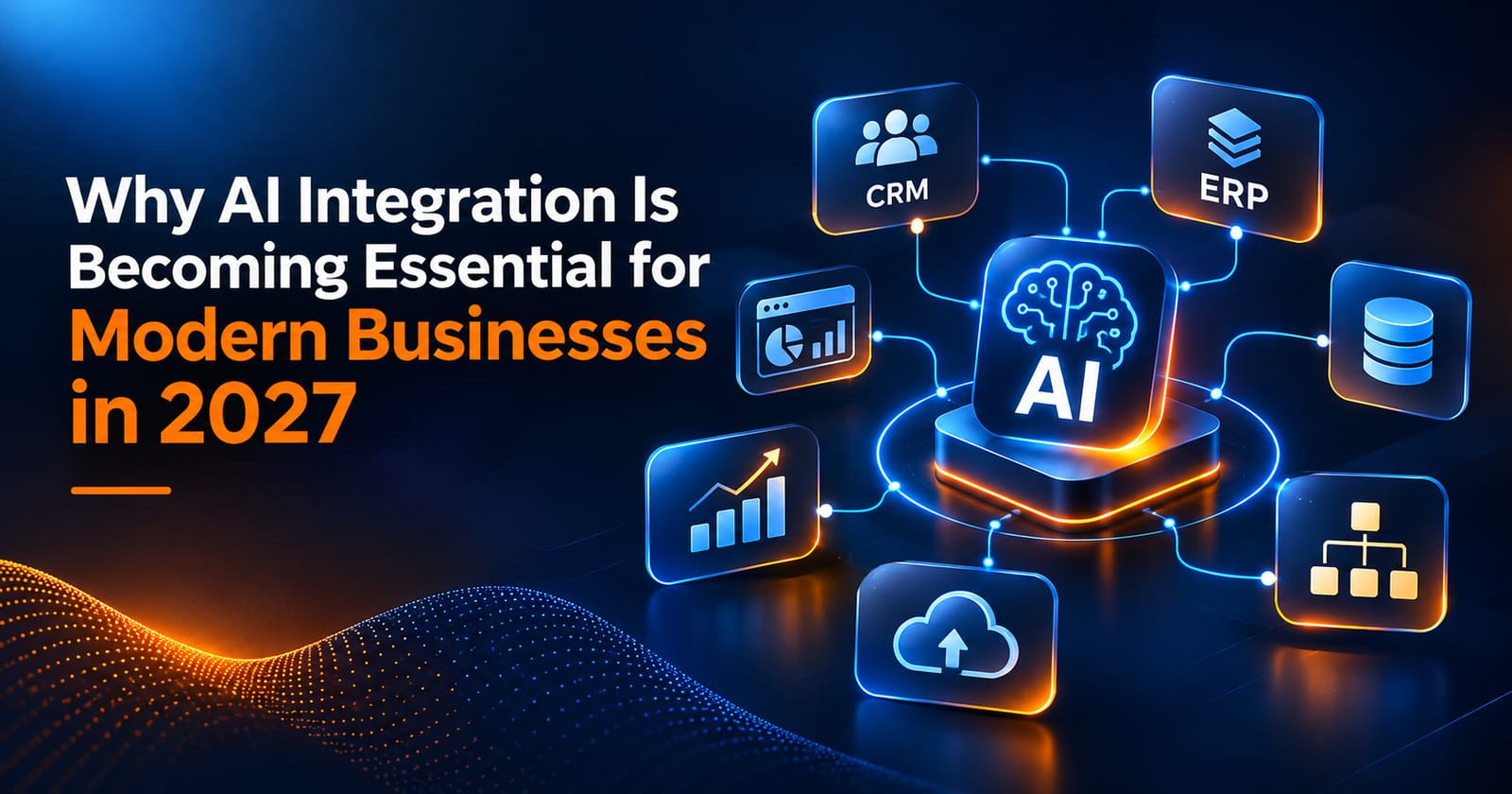
Businesses are exploring ways to connect AI systems with CRM platforms, ERP software, databases, communication tools, and cloud applications.
Intelligent Document Processing
AI-powered document systems can extract, classify, summarize, and organize information from different document formats.
Human-AI Collaboration
Rather than automating every responsibility, businesses are increasingly considering workflows where AI handles suitable tasks and people supervise important decisions.
Greater Focus on Governance
As AI automation becomes more widely used, organizations will need stronger processes for monitoring, privacy, security, accountability, and reliability.
The future of AI automation will depend on how effectively businesses combine intelligent systems with human expertise and responsible technology practices.
11. Frequently Asked Questions
What is AI automation in simple words?
AI automation uses artificial intelligence to perform or support business tasks that may require understanding information, identifying patterns, or generating responses.
What is the difference between AI and automation?
Automation performs tasks according to programmed instructions. AI enables systems to analyze information, recognize patterns, and generate predictions or outputs. AI automation combines these capabilities.
Is AI automation suitable for small businesses?
Yes. Small businesses can begin with specific workflows such as customer query classification, invoice processing, appointment communication, and email management.
Which AI automation tools are commonly used?
Tools and technologies include Zapier, Make, n8n, Microsoft Power Automate, OpenAI API, and LangChain. The right choice depends on the project requirements.
Can AI automation replace employees?
AI automation can reduce manual work and support employees, but it does not eliminate the need for human judgment, supervision, creativity, and accountability.
How much does AI automation cost?
Costs depend on workflow complexity, software subscriptions, API usage, infrastructure, development, and ongoing maintenance.
Is AI automation secure?
AI automation can be implemented securely with appropriate access controls, encryption, data protection practices, monitoring, and regular security reviews. Security depends on the complete system design and implementation.
How can a business start using AI automation?
Start by identifying a repetitive task, reviewing the existing workflow, selecting suitable technology, testing a small pilot, and monitoring its performance.
Conclusion
AI automation is changing how businesses manage repetitive tasks, process information, support customers, and coordinate daily operations.
It offers opportunities to improve productivity, streamline workflows, and make better use of business data. However, successful implementation requires more than connecting an AI tool to an application.
Businesses need clear objectives, reliable data, secure integrations, employee training, and appropriate human oversight.
Organizations that approach AI automation strategically can build more efficient and adaptable workflows while keeping people involved in important decisions.
For more information, visit THE TISA.