A workshop organiser has sent a promising idea, a few constraints and a request for slides. The difficult part is deciding what the proposal should ask the organiser to approve. A polished deck can hide that uncertainty. A useful first version makes the decision, evidence and open questions visible.
This walkthrough uses a fictional community writing workshop. The inputs and slide copy below are teaching examples, not a customer project or output from a recorded Orkas run.
Start with a brief you can point back to
Create two short source notes before asking for a presentation. In this example, Note A is the fictional organiser's brief: a 90-minute introductory session, 12–16 adult participants, and an aim of helping each participant outline a short personal essay. Participants should not need a paid account. Note B is the fictional facilitator's constraint sheet: bring printed exercises, allow individual writing time, and do not ask people to upload personal stories to an external AI service during the session.
The venue, date and facilitator fee have not been supplied. Keep those as questions. The 12–16 range describes planned group size, not confirmed attendance. Neither note promises improved writing scores or a particular participant outcome.
Keep the notes separate from your suggestions. That distinction helps you revise a recommendation without accidentally rewriting what the organiser actually requested.
Give Orkas a decision and an output
Orkas is an open-source, local-first desktop AI workspace for macOS and Windows. Commander coordinates specialist work around a project. For this task, its built-in PptMaker is relevant because the official documentation describes editable PPTX delivery, a slide outline and page-level review notes.
See the official PptMaker workflow in the links at the end.
Add your permitted source notes, audience, purpose, slide count and any approved visual references to the project. Ask for an outline before the deck. A complete instruction for this fictional brief is:
“Prepare a five-slide proposal for the organiser to approve the workshop scope. Use Note A and Note B as the only factual sources. Label proposed agenda choices as suggestions. Do not invent a date, venue, price, testimonials or confirmed attendance. Show one clear decision per slide and identify its source in the notes. First return the narrative outline and unresolved questions for review. After the outline is confirmed, prepare an editable PPTX with page-level review notes. End with the specific approvals still needed.”
Review the outline before accepting a visual direction. The official workflow includes that planning step; it does not establish that every generated sentence or layout will be correct.
A five-slide proposal you can inspect
The following is a manually specified teaching outline, not a screenshot or transcription of an AI-generated deck.
Slide 1 — Approve the workshop scope
Ask: “Can we proceed with planning a 90-minute introduction to personal-essay outlining?” State the intended group size as 12–16 adults. Source: Note A. Do not turn the planning request into a confirmed booking.
Slide 2 — What participants will practise
Show three proposed activities: choose a moment to write about, identify its turning point, and outline a beginning, middle and ending. Mark these as facilitator suggestions. The source supports essay outlining as the goal, but does not prescribe these three exercises.
Slide 3 — A proposed 90-minute agenda
Offer 10 minutes for introduction, 15 for a worked example, 25 for individual outlining, 20 for optional paired discussion and 20 for questions and next steps. The total is 90 minutes. Label this allocation as proposed, not organiser-approved. Keep sharing optional so a participant need not disclose a personal story to the group.
Slide 4 — Materials and boundaries
List printed exercises and individual writing time from Note B. State that no paid participant account is required and that participants will not be asked to upload personal stories to an external AI service. Do not describe this workshop arrangement as a promise about Orkas's own model processing.
Slide 5 — Decisions still needed
Ask the organiser to confirm the scope, proposed agenda, venue, date and fee. Keep the latter three visibly unresolved. The closing request is approval to complete the plan, not a claim that the workshop is ready to sell.
Check the editable file, not just its thumbnail
When you have an actual PPTX, open it in the presentation software you intend to use. Check that the text remains editable, that headings and notes are complete, and that no sentence is clipped. Verify the 90-minute sum, source labels and unresolved questions against the brief. Review images and permissions before sharing. Ask for focused revisions if a slide has converted a suggestion into a fact.
The benefit of keeping the project notes and deck together is continuity when the organiser changes the brief. Update the source note first, then request the affected slide changes. Local project context, reusable skills and coordinated specialist work support that process; they do not remove the need for approval.
Choose the model and material deliberately
Orkas offers managed models and supported own-provider access. Project materials are local by default, while model requests and optional connected or cloud features can transmit the data they need. Local-first storage does not promise fully offline inference. Use sanitised notes and a suitable provider route for real client material. The core app is free; model usage and optional services may cost extra.
Read the current product overview, linked below, before choosing a model or starting a project.
Begin with two short source notes and one decision the organiser can answer. The useful first deck is one whose facts, suggestions and missing information a reviewer can distinguish.
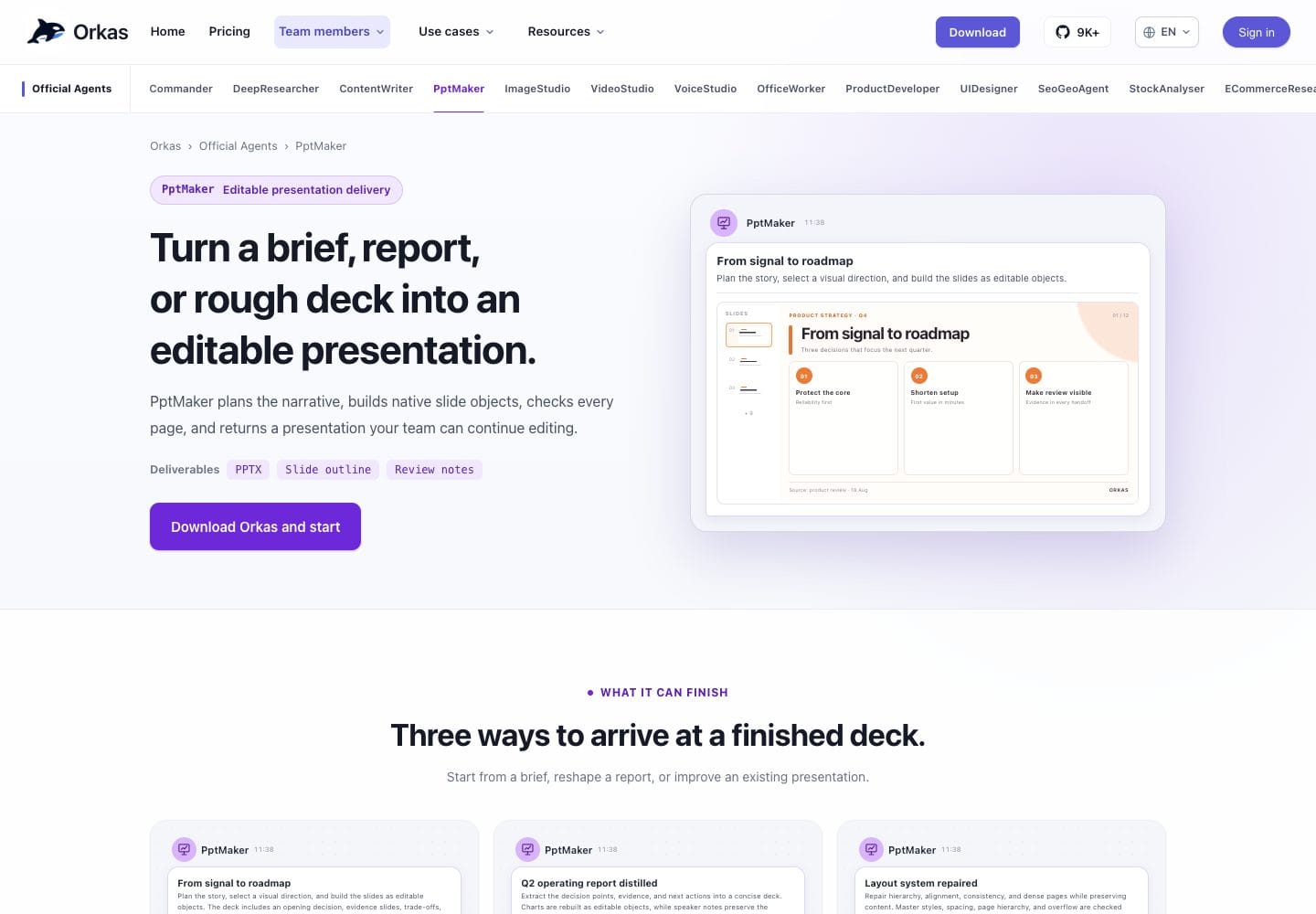
Disclosure: This AI-assisted product introduction was prepared for Orkas promotion from official documentation. It is not an independent hands-on review or a measured performance claim. The cover is a screenshot of the official PptMaker page and its illustrative interface, not a deck generated for this example.
Official links
https://orkas.ai/agents/ppt-maker/?source=dir_publisha
https://orkas.ai/?source=dir_publisha
From a workshop brief to five reviewable slides with Orkas
Plan a fictional writing workshop proposal with Orkas PptMaker: five concrete slide examples, source notes and unresolved questions to check before sharing.
Keep reading
More stories worth your time
More in AI & Automation

AI Incident Response: What to Do When an AI Agent Goes Wrong, Before Regulators Ask
Explore how businesses can manage AI agent failures through incident response, security controls, risk management and responsible AI practices to prevent operational and regulatory challenges.

More in AI & Automation

How AI is changing the ease of doing business.
AI has completely changed the starting as well as operating of the traditional business structure, by not only replacing human workforce, cost and time efficiency.

More in AI & Automation

Too Big to Send? Make a Smaller Copy of Your Free Image-to-Video Clip
Keep your free image-to-video original and make a separate sharing copy with HandBrake. Check file size, framing, detail and playback before sending.

Have a story of your own?
Publisha is free to start. Write with AI that keeps your voice, and publish in a click.