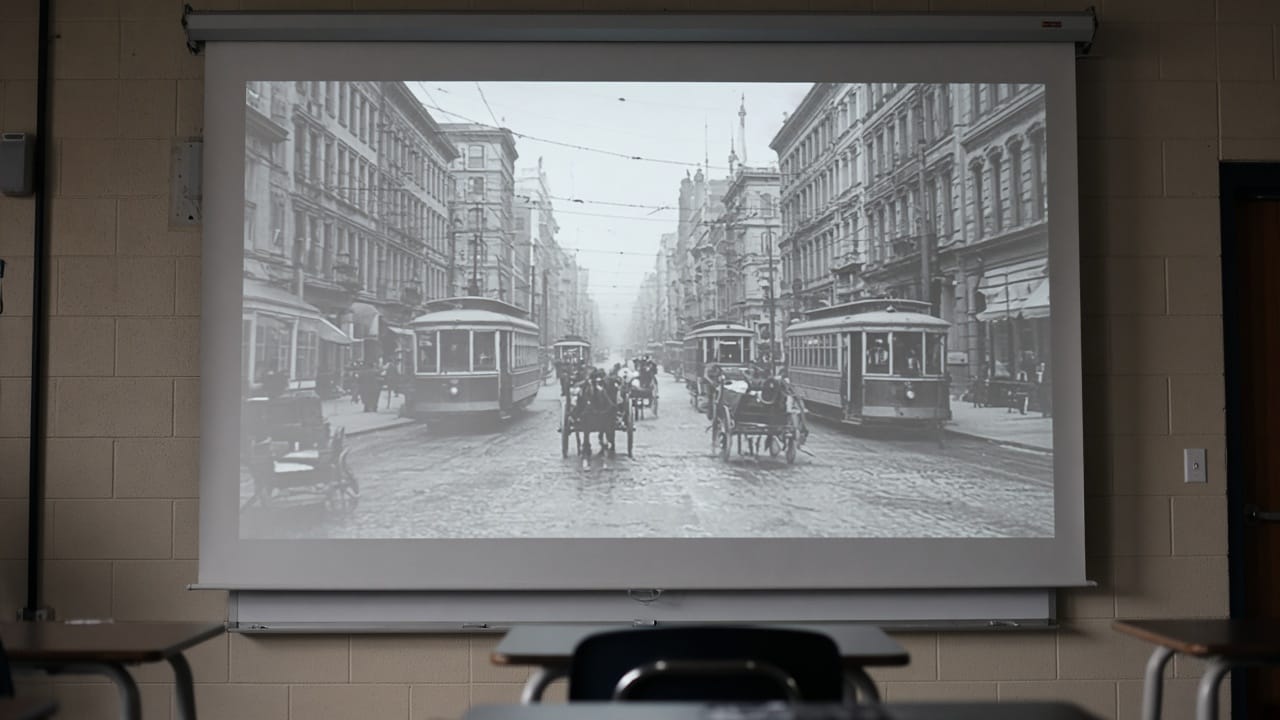
It was a Monday, first period, and my class was not with me. Phones half-hidden under desks, two students finishing homework for another subject, one asleep with great dignity. I had a slide ready about the growth of cities in the early twentieth century. Instead, on a whim, I put up a single photograph: a crowded street from 1911, horse carts, a tram, shop signs, and a boy on the far left holding a stack of newspapers bigger than he was.
"Who's the boy on the left?" I asked. "What's he doing there?"
Every head came up. For the next ten minutes we didn't touch my slides. That photograph did more than my whole lesson plan. Since then I open most history lessons with one image, and lately, sometimes, with one that moves for a few seconds. Here's how I choose the photo, how I label it honestly, and what I ask students next.
Choosing the photograph
Not every old photo is a good lesson opener. I look for three things.
A trustworthy source. I use public-domain or properly licensed images from national archives, library collections such as the Library of Congress, or Wikimedia Commons. I always keep the citation: who took it, when, where, and where I found it. That citation goes on the slide.
One clear subject. A busy street works if there's one detail to focus on, like the newspaper boy. A wide landscape with nothing in particular is harder to talk about.
Nothing that shouldn't be touched. I leave out photographs of suffering, victims of violence, war dead and anyone who is still alive. These deserve respect, not a classroom hook, and I would never animate them.
Openers that need no AI
Before getting to moving images, it's worth saying that the simplest openers are often the strongest:
Zoom slowly into one corner of the original photo on the projector, and ask what students notice.
Cover half the photo, let them guess what's hidden, then reveal it.
"Three things you see, one thing you wonder." Students write it down in silence for two minutes, then share.
Play a short period sound clip, such as street noise or an old recording, under the still image.
If you want the photo to move
Sometimes I go one step further and make a few seconds of gentle motion from one photograph. On Videoify I use the MiniMax H3 page: the archive photo goes in as the first frame, and I ask for a slow camera push or a small movement, such as smoke drifting from a chimney or the tram moving slightly. A clip can be 4 to 15 seconds; I keep mine to about five, at the lower 768P setting, which costs 2 credits a second. The tool can refuse some images and prompts, especially around real public figures and graphic violence, which is a good rule for a classroom anyway.
What matters most is what I say on the slide. The motion is generated. It is not footage, and it is not a recovery of what happened. It's an interpretation built from a still image, and students need to know that before they see it.
The five-minute routine
This is the routine I now use. It takes about five minutes:
Show the original photograph first, with its citation, and let students look in silence for thirty seconds.
Ask what they see. Collect three or four observations on the board.
Show the moving version, clearly labelled on the slide: "AI animation based on a historical photograph."
Ask the key question: "What was really in the photo, and what was added by the animation?" Students usually spot invented movement, faces that look too smooth, and details that weren't there.
Keep both on the slide for the rest of the lesson, the original on the left and the animated still on the right, so the original stays the source.
What my class asked
The first time I tried this, one student asked whether the boy's movement in the clip was "how he really walked". That was the whole lesson, in one question. We spent the next fifteen minutes on what a photograph can and can't tell us, and why historians care where an image comes from.
Now every animated photo I show carries the same label in the bottom corner of the slide: "AI animation based on a historical photograph. Original: (source, year)." It takes ten seconds to type, and it has never once made the lesson less interesting.