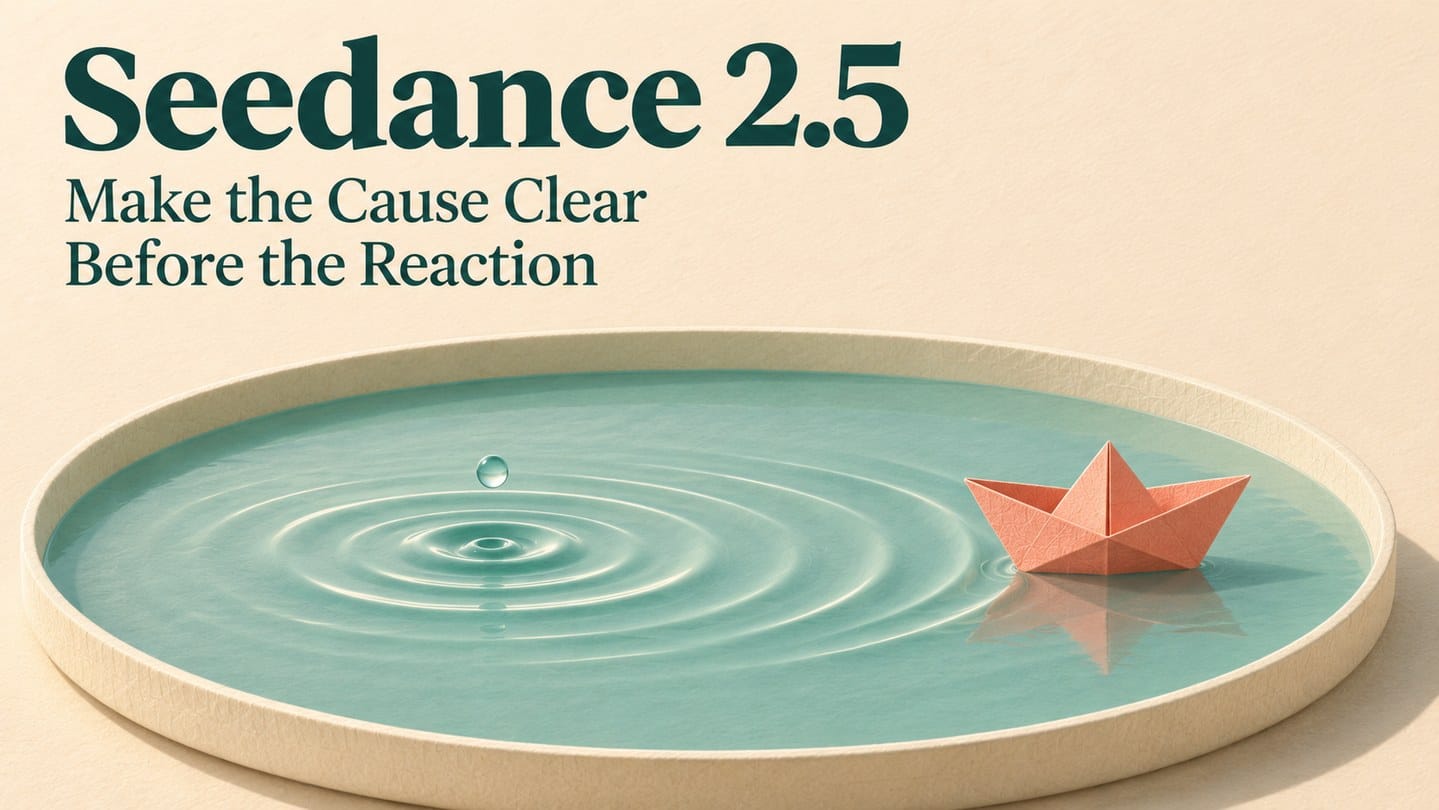
A drop lands, a ripple spreads, and a paper boat rocks. That is the scene you want. But if the drop is easy to miss, the boat may appear to move by itself. Before asking Seedance 2.5 for stronger motion, check whether the cause is clear.
Showing the cause first is not enough. The viewer also needs to see how it reaches the subject. Here, the ripple between the drop and boat carries that connection.
Disclosure: This article features my website, SeedGen. The scene is hypothetical, and the prompt has not been tested for this article.
Work out what the viewer needs to notice
The scene takes place in a shallow tray of water. Keep the intended movement small: a nearby drop disturbs the surface, and the paper boat rocks gently as the ripple reaches it.
Before writing the prompt, separate the scene into three parts:
Cause: The drop reaches the water.
Connection: A ripple travels towards the boat.
Reaction: The boat begins a small rocking movement as the ripple arrives.
The middle part matters. A falling drop followed by an unrelated boat movement may still feel like two separate actions. Asking the boat to move farther would not explain what made it move.
This is a useful planning check for other scenes, too. A hanging paper decoration might sway after an open door admits a breeze. The movement reads more clearly when the shot gives viewers a reason to connect the door and decoration.
A mystery may deliberately reveal its cause later. For this small scene, the aim is immediate understanding.
Choose a view that explains the movement
A close-up could hide the drop’s landing point. A wide view could make it too small to notice. Use a fixed, slightly elevated view and place the intended landing point near the boat.
Keep the background quiet. Moving props, repeated drops or strong reflections could compete with the event you want viewers to follow.
Leave a brief quiet opening. If the boat is already rocking, it becomes harder to tell whether the drop changed anything.
For the first attempt, stay in one shot. A camera move or cut would give you another variable to manage before you know whether the action itself reads.
Turn the event order into a Seedance 2.5 prompt
On the Seedance 2.5 page, start with text or an original or permitted reference image. If you use an image, choose one that supports the planned composition rather than a tight boat portrait that leaves no room for the event.
For a text-led attempt, try:
Fixed, slightly elevated close view of a shallow cream tray containing calm water and one small coral paper boat. Frame the boat and a patch of open water just to its left, leaving both comfortably inside the picture. Soft side light, plain background, restrained illustrated style. Begin with the water and boat nearly still. One drop falls into that nearby patch of water. Show the contact and a small ripple spreading towards the boat. As the ripple reaches it, the boat rocks gently in place, then starts to settle. Preserve the boat’s shape and the tray’s edges. No camera movement, cuts, extra drops, added objects, lettering or dramatic splash.
Choose the aspect ratio for the finished video. Allow enough time for a quiet opening, the disturbance and the response; there is no need to use the longest available duration. Check the selected model’s settings and displayed cost before submitting.
If you add references, explain what each should guide, such as the tray design or colour palette. Prompts and references guide a creative interpretation. They do not guarantee exact timing, stable objects or physically accurate water behaviour.
Watch without the explanation in your head
Play the candidate at normal speed with the sound off. Try to follow the event without looking at your prompt.
Check the actual order: contact, spreading ripple, boat movement. Does the boat react too early? Does a cut or visual jump interrupt the connection? Then inspect the whole clip for changing shapes, bending tray edges or other distracting errors.
If possible, show it to someone who has not seen the brief. Ask, “What made the boat move?” before explaining your intention.
If they mention the drop and ripple, that suggests the connection came through. If they guess wind, ask what led them to that answer. Their response gives you something to investigate; it does not establish one definite cause of confusion.
Repair the missing link
Use the viewing check to choose the next adjustment:
ProblemWhat to tryThe contact is easy to missUse a tighter frame that keeps both the landing point and boat visibleA ripple is present but hard to seeReduce competing reflections and adjust the framingNo coherent ripple reaches the boatShorten the distance and simplify the interaction; try another treatment if it still failsThe boat reacts before the disturbanceClarify the sequence and request a later responseThe objects change shapeSimplify the scene or prepare a clearer reference image
Keep the original and useful candidates so you can compare what changed.
If repeated generations miss the interaction, try assembling a sequence in an external editor. Establish where the drop lands relative to the boat, retain footage of the ripple travelling between them, then cut to the response. Without usable connecting footage, simplify the scene or choose a different treatment.
Before generating again in Seedance 2.5, pause where the boat starts to move. Is the reason already visible?