An honest workflow review of 1MV.ai for Suno creators
There is a moment every Suno user probably recognizes: you finally get a song you like. Maybe it is an indie-pop track you generated after twenty attempts, a cinematic ballad with surprisingly good vocals, or a character song that sounds much better than you expected.
Then comes the next question: What am I supposed to put on YouTube or TikTok besides the audio?
I usually start with the obvious options: the original cover image, a waveform animation, or a collection of short AI-generated clips. None is necessarily bad, but they do not always feel like a complete music video. I wanted something that could make the person or character on my cover appear to perform the song, while giving the video some camera movement and rhythm.
That was how I came across 1MV.ai, a Suno music video generator designed to turn an existing song and one image into a music video.
This review examines the workflow from a Suno creator's perspective. I haven't independently generated and inspected a 1MV video in this session, so I won't pretend to have measured its output quality firsthand. Instead, I'll separate the product's documented features from the checks I would use before publishing a finished video.
1. The Song Was Finished. The Music Video Was the Missing Piece.
Finished song to AI music video workflow | SceneLore
Suno makes it relatively easy to explore musical ideas, but finishing a song and presenting it visually are two different jobs.
A static cover image is useful for identifying a track. It does not necessarily communicate the emotion of the vocals, the energy of the chorus, or the personality of a fictional singer. On the other hand, building a video manually can involve finding footage, editing clips, syncing transitions and adjusting the timeline.
For someone who enjoys making music more than editing video, that can become a completely separate project.
What I wanted was a workflow with only two essential creative assets:
A finished Suno song in an audio format.
One cover image, character illustration or portrait that represents the song.
1MV.ai's approach is built around exactly this combination: upload one image and one song, then let the system plan the camera movement, angle changes, beat-based cuts and vocal lip sync.
1MV+1
2. First, Getting the Right Audio File Out of Suno
How to Convert Audio Files: MP3, WAV, and More
Before opening another tool, I would organize the original song files. This matters because the audio uploaded to a music video generator should be the version I actually want to publish.
In Suno, the general workflow is:
Open the song in your Library or Workspace.
Find the song's More Actions menu.
Select Download.
Choose the available audio format.
Save the file in a clearly named project folder.
There is one important format detail that is easy to miss: according to Suno's current help documentation, MP3 downloads are available across plans, while WAV downloads are available to Pro and Premier subscribers on the Suno website. Mobile downloads may default to MP3. Download availability and limits can also depend on the account and plan.
MP3 or WAV—which should I use?
For a quick social-media video or an initial experiment, MP3 is a practical choice. If I have access to Suno's official WAV export and want an uncompressed file for an editing workflow, I would choose WAV.
One thing worth remembering: converting an MP3 into WAV does not restore audio detail that was already lost during MP3 compression. A WAV file is not automatically a better master just because it is larger.
My basic preparation checklist would be:
Use the final song version rather than an unfinished draft.
Listen to the beginning and ending to check for unwanted silence.
Confirm that the vocal track is the one I intended to use.
Keep the original downloaded file as a backup.
3. Choosing the Image: Cover Art or Character Portrait?
Neokitsch - song and lyrics by Solene | Spotify
This is where the workflow becomes more interesting.
A Suno song might already have cover artwork, but not every cover is equally suitable for a video in which the character appears to sing. A landscape illustration, abstract graphic or crowded group portrait may look beautiful as artwork but offer little facial detail for lip sync.
I would prepare one of two image types.
Option A: Use the original cover art
This is the simplest route when the cover already features a clear character or singer. It also helps maintain a consistent visual identity between the song and its video.
Option B: Use a dedicated character portrait
This is useful when the cover is mainly typography, scenery or abstract artwork. A front-facing portrait with a visible mouth gives the video a clearer visual performer.
For either option, I would check that the face is sharp, well lit and not hidden behind hair, hands or a microphone. The image should also match the song's mood: a soft portrait for a ballad, a bold character for electronic pop, or a cinematic look for a dramatic soundtrack.
1MV accepts JPG, PNG and WebP images. Its workflow uses one image as the visual source for the video, rather than asking the user to assemble a slideshow of multiple pictures.
1MV+1
4. Uploading the Song and Image to 1MV.ai
An Overview of Kaiber: The Video Generation Tool of the Future - Guidady
Once the audio and image are ready, the next step is to open the 1MV.ai workbench.
The workflow described by the product is straightforward:
Open the 1MV.ai music video generator.
Upload the selected cover image or character portrait.
Upload the Suno audio file.
Choose the aspect ratio for the intended platform.
Review the available resolution and credit cost.
Select a Director Style if you want a particular visual direction.
Start generating the video.
The supported audio formats include MP3, WAV, M4A, FLAC and OGG. The image formats include JPG, PNG and WebP.
1MV+1
I particularly like the logic of keeping the input simple. Instead of preparing a prompt for every shot or manually assembling a storyboard, the creator starts with the song and the image that already represent the project.
That does not mean there is no creative decision-making. Choosing the right image, aspect ratio and visual style still affects how suitable the final video will be.
5. What Happens During Processing?
How to Make a Music Video with AI: Complete Guide [2026] | VibeMV
The interesting part of 1MV is not simply that it animates a still image. According to its product description, it analyzes the music and plans elements of the video around the track.
The documented features include:
Lip sync: the person or character in the image performs the vocals.
Camera movement: the video can move closer to or farther from the performer.
Angle changes: the visual perspective can change during the song.
Beat-based cuts: transitions are planned around the music.
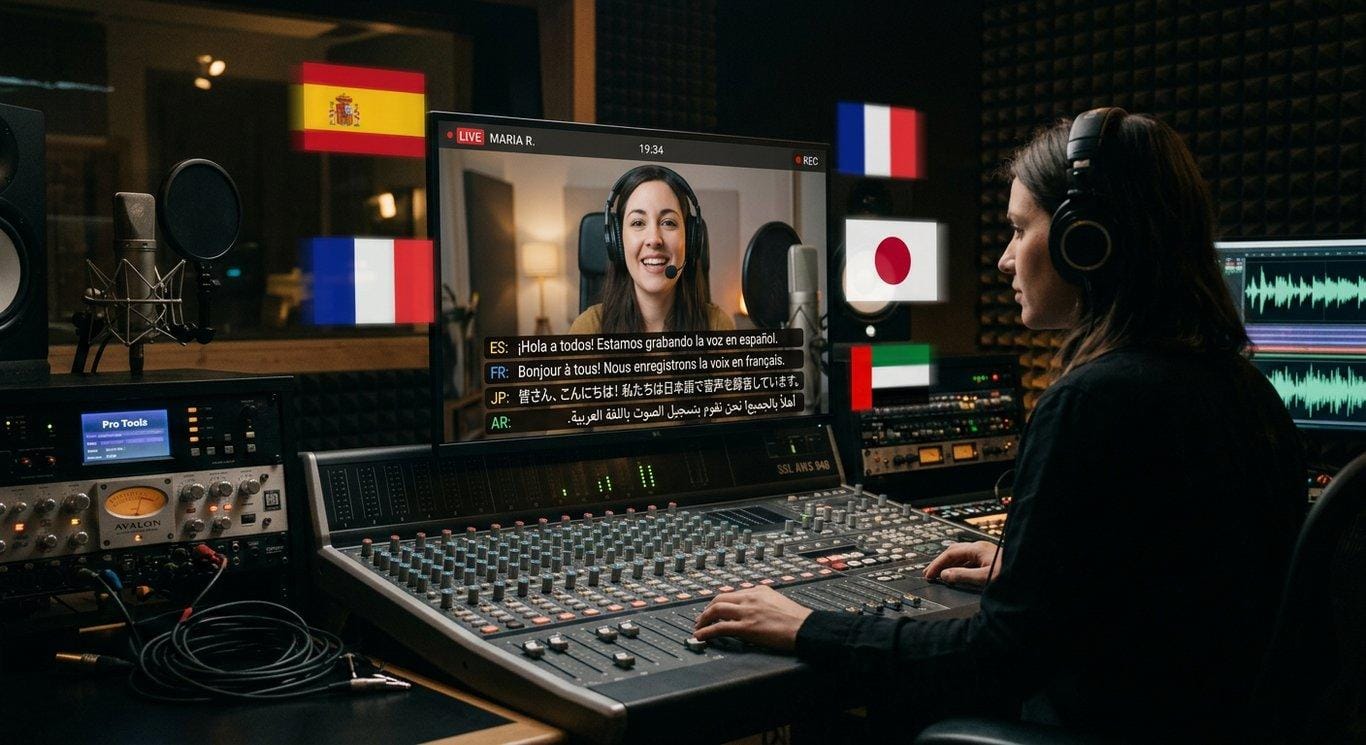
Multilingual vocals: lip sync is designed to follow vocals in different languages.
This is particularly relevant to Suno users because AI-generated vocals can be in English, Japanese, Korean, Spanish and other languages. 1MV states that users do not need to upload lyrics or manually select the language for its lip-sync workflow.
1MV+1
I would still treat the generated video as a first draft, not a guaranteed finished music video. Automated camera decisions and lip sync need to be judged by watching the actual result.
6. The Quality Check: Does the Character Actually Look Like They're Singing?
This is the first thing I would inspect after generation.
A video can have attractive movement and still feel disconnected from the song if the mouth does not appear to follow the vocals. I would replay several sections rather than judge everything from the opening frame.
My checklist would include:
What to inspect
What I would look for
Mouth visibility
Is the mouth clear throughout important vocal sections?
Vocal timing
Does mouth movement appear aligned with the singing?
Facial consistency
Does the face remain visually coherent during movement?
Lead performer
Is the main character still the focus?
Difficult passages
Do fast lyrics or layered vocals create noticeable problems?
For a first test, I would choose a Suno track with one clear lead vocal rather than a song with multiple overlapping singers, rapid vocal runs or dense harmonies.
That gives me a more useful starting point for evaluating the basic lip-sync workflow.
7. Camera Movement and Beat Synchronization: Does the Video Feel Like a Music Video?
Pretty Slowly - Music Video by Benson Boone - Apple Music
A still image with moving lips is not necessarily a compelling music video. The camera needs to contribute something to the song.
I would watch the video in three passes.
First pass: Watch without pausing. Does the video maintain the song's atmosphere? Do the camera movements feel connected to the performance?
Second pass: Focus on the chorus. This is often where the musical energy increases. I would check whether the visual pacing becomes more engaging without making the performer difficult to see.
Third pass: Listen for transitions. I would compare major beats, changes in instrumentation and section boundaries with the timing of the cuts.
1MV describes its camera movement, angle changes and beat-based editing as automatically planned from the music. That is the product's central distinction from workflows that generate unrelated short AI clips and require the creator to assemble them manually.
1MV+1
8. Exporting the Video: Choose the Format Before You Generate
AI Video Generator Without Pacing Control: Auto-Optimize Flow 2026 | VidFab AI Blog | VidFab
Before generating, I would decide where the video is going to be published.
Platform or use
Suggested aspect ratio
YouTube
16:9
TikTok
9:16
Instagram Reels
9:16
YouTube Shorts
9:16
Square social posts
1:1
Cinematic presentation
21:9
1MV currently lists six aspect ratios: 21:9, 16:9, 4:3, 1:1, 3:4 and 9:16. It also provides resolution options that depend on the membership plan.
1MV+1
After the video is ready, I would open it in My Videos and check:
Does the beginning start at the intended musical moment?
Is the ending cut off unexpectedly?
Does the image remain clear during close-ups?
Is the resolution suitable for the publishing platform?
Is there a watermark?
Does the downloaded file play correctly from beginning to end?
Downloading the finished video does not use additional credits according to 1MV's current product information.
1MV
9. Is It Worth Using for a Full Suno Song?
Short-Form Video Strategy for Musicians: TikTok, Reels, and Shorts - BeatSync Blog
One practical question is whether the tool can handle an entire song rather than just a short promotional clip.
1MV currently lists these duration limits:
Plan
Maximum video length
Watermark
Free
20 seconds
Yes
Starter
3 minutes
No
Pro
6 minutes
No
The Free plan is suitable for exploring the workflow with a short section of a song. Starter and Pro are designed for longer videos, with resolutions up to 4K available on paid plans. The listed monthly prices are $9.90 for Starter and $29.90 for Pro. Credit consumption depends on video length and resolution, and the cost is displayed before generation.
1MV+1
For my own decision, I would not automatically choose the highest resolution. I would first test a short section, check whether the character and camera movement work well, and then decide whether a full-length export is worth the credits.
That is a more sensible approach than spending credits on a long video before knowing whether the source image is suitable.
10. The Part Suno Creators Should Not Overlook: Usage Rights
Can You Copyright Suno AI Music? It Hinges On One Legal Detail
There is one important distinction between making a video and having permission to use it commercially.
1MV states that videos made with its Starter or Pro membership can be used commercially, while videos made on the Free plan are for personal, non-commercial use. However, that does not automatically grant commercial rights to the Suno song itself.
Suno's commercial-use rules depend on the plan and terms applicable to the song. Before uploading a track for a monetized YouTube channel, client project or brand campaign, I would check the rights associated with the original Suno creation. The same applies to the cover image or character artwork: make sure you have permission to use it.
1MV+1
I would also check the 1MV sharing settings before generating anything based on an unreleased track. Its documentation says community sharing is enabled by default, with an option for paid members to turn it off before generation.
1MV
These details may not be the most exciting part of making a music video, but they matter when a personal experiment becomes a public release.
11. What Makes This Workflow Different for Suno Users?
Top AI Music Video Tools with Simple UI and Integration – freebeat
After looking at the complete process, I think the most interesting value of 1MV is not simply that it can animate an image. It connects two parts of an AI music workflow that are often treated separately: generating a song and giving that song a visual performance.
Here is how I would summarize its practical strengths:
1. It starts with music that already exists. You do not need to create a new song inside the video tool. A finished Suno MP3 or WAV can become the audio source.
2. It gives cover art another purpose. Instead of remaining a static thumbnail, a suitable portrait or character image becomes the visual performer.
3. It handles several editing decisions automatically. Camera movement, angle changes and beat-based cuts are part of the generation workflow, rather than separate tasks that must all be arranged manually.
4. It supports different musical languages. This is useful for creators experimenting with multilingual Suno songs or making tracks for audiences in different markets.
5. It can cover more than a short teaser. The Pro plan supports videos up to six minutes, which makes a full-song workflow possible within the stated duration limit.
There are still reasons to keep a conventional editor in the process. If I needed precise lyric subtitles, custom typography, scene-by-scene storytelling or exact control over every transition, I would expect to make additional edits after downloading the video.
For me, that is a reasonable way to think about an AI music video generator: it can take care of much of the initial visual production, while the creator remains responsible for the final creative decisions.
12. Final Thoughts: My Suno Song Deserved More Than a Static Cover
Every Pore (feat. Nagham Zikrayat Orchestra) - Music Video by Tamino - Apple Music
The reason I find this workflow appealing is quite simple. When I make a song in Suno, I am usually thinking about the melody, the lyrics, the voice and the overall feeling. I do not necessarily want the next step to involve learning an entire video-editing workflow.
1MV.ai offers a different starting point: take the song I already have, choose an image that represents it, and build a music video around those two assets.
The most useful way to approach it is to start small. Download a finished Suno track, choose a portrait with a clearly visible face, generate a short test and inspect the lip sync, camera movement and transitions. If the visual direction fits the song, then consider creating the longer version.
I would be especially interested in seeing what creators do with unusual combinations: a fictional character singing an indie-pop track, an illustrated album cover performing a cinematic ballad, or one visual identity used across several songs in different languages.
Maybe the next song sitting in your Suno library is not just another audio file. It could be the starting point for a music video you have not imagined yet.
No complicated video-editing background required. Multilingual lip sync. Music videos up to 6 minutes with Pro.
If you have a finished Suno song and a cover image waiting in your folder, this is the workflow worth exploring: