From a Character Illustration to a Virtual Singer
Creating an original virtual character is one of my favorite parts of working with AI creative tools. I can experiment with different hairstyles, outfits, facial expressions, and visual styles until the character feels like someone with a distinct personality.
Recently, I finished designing a character that I wanted to develop into a virtual singer. I had already written and produced a song for this character, so the next step seemed obvious: I wanted to see the character perform it in a music video.
The challenge was that a finished illustration is still just a static image. It can communicate a character's appearance, but it cannot naturally express the feeling of singing. I wanted to give the character a sense of performance without rebuilding the artwork as a complicated 3D model.
Why Traditional Animation Was Not My First Choice
There are several ways to animate a character, but most traditional approaches require additional work. I could use animation software to create mouth movements, adjust facial expressions, build a timeline, and synchronize everything with the audio.
That workflow offers creative control, but it also takes time and technical experience. Even a relatively short singing sequence can involve a surprising amount of manual adjustment.
I also considered using a general AI video generator. However, generating a moving character and making that character convincingly sing a specific song are two different tasks. I did not simply want an animated portrait with background music. I wanted an AI character singing in time with my actual vocals.
Choosing 1MV.ai for an AI Singing Video
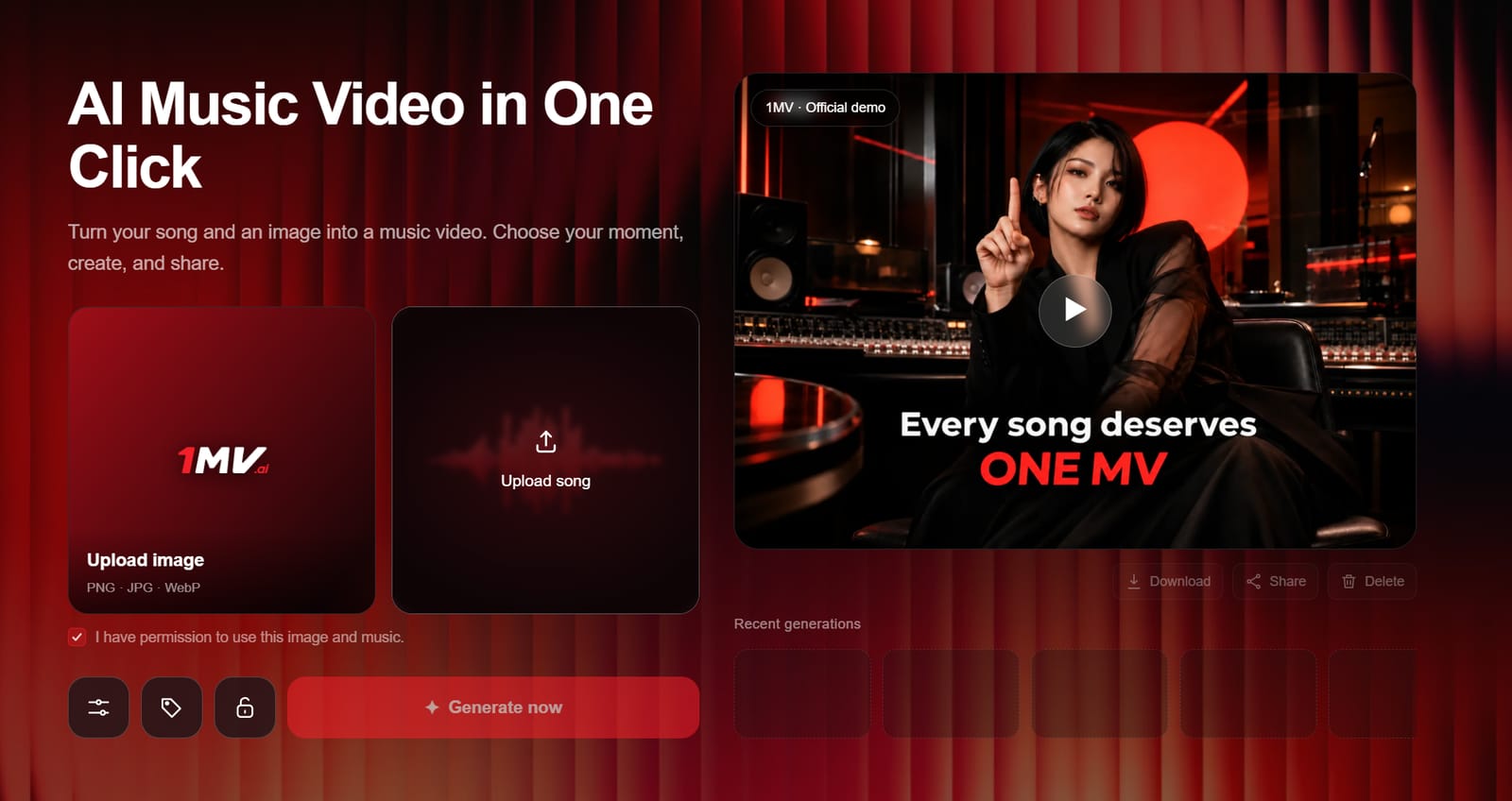
While looking for a more direct workflow, I came across 1MV.ai. What interested me was its music-focused approach: instead of generating a collection of unrelated video clips, the platform combines an image and an audio track to create a music video.
Its built-in AI Lip Sync is particularly relevant to my project. The character in the uploaded image becomes the singer, while the system matches mouth movements to the vocals. It also plans camera movements, angle changes, and cuts around the music.
For someone working with original illustrations, this means I do not necessarily need to create a separate animated performance before making a video. I can start with the artwork and the finished song. I decided to try this my generator workflow to see how well it could turn my character design into a virtual singer music video.
Preparing the Character Image and Song
Before generating anything, I needed to choose the right source image.
Not every character illustration is suitable for AI lip sync. I selected an image with one clearly visible face, a relatively front-facing pose, and a mouth that was not hidden by hair, accessories, or hands. I also preferred a sharp, well-lit image because facial details matter when the camera moves closer.
The song needed similar preparation. I exported my finished track as an audio file rather than uploading a video containing the music. 1MV supports common formats including MP3, WAV, M4A, FLAC, and OGG.
I also listened to the track again and identified the section I wanted to use. For a short promotional video, the chorus or another recognizable vocal passage is often a more useful starting point than an unrelated section of the song.
My Workflow: Turning the Character into a Singer
The creation process was relatively straightforward.
1. Upload the character image
I opened the 1MV creation workspace and uploaded my original character artwork. The image establishes the visual identity of the singer, so I treated this step as more than simply choosing a file. A clear face and visible mouth give the lip-sync system better visual information to work with.
2. Add my own song
Next, I uploaded the audio track. This is the part that makes the project different from a standard talking-photo video: the goal is to synchronize the character with the actual singing rather than make it speak a short sentence.
3. Choose the video format
I then selected an aspect ratio based on where I might publish the finished video. The available formats include 16:9 for YouTube-style widescreen videos, 9:16 for vertical social content, and square or other formats for different layouts.
4. Set the director style
The Director Style settings provide another level of creative direction. I could use the original 1MV style or define a custom style with separate directing and art-direction descriptions.
For my virtual singer concept, I would describe the directing in terms of framing, camera movement, and performance rhythm. The art direction could focus on the character's visual world, color palette, lighting, and atmosphere. These settings help communicate the intended mood without requiring me to build every shot manually.
5. Generate and review
After checking the selected files and settings, I started generation. Once the video was ready, I could watch it and decide whether the result matched the original creative idea.
What I Looked for in the Generated Video
For this project, I considered five aspects especially important.
First, mouth movement: did the character appear to sing along with the vocal phrases, rather than simply move their mouth randomly?
Second, facial stability: did the face remain recognizable as the same original character during camera changes? This matters because a virtual singer needs a consistent visual identity.
Third, performance expression: did the result feel like a music performance, or did it look more like a static illustration with slight movement?
Fourth, camera direction: did changes in framing add visual interest without distracting from the character?
Finally, musical timing: did the cuts and transitions feel connected to the song's rhythm?
These are useful evaluation points because a technically animated image is not automatically a convincing AI lip sync music video. The character, vocals, and visual rhythm need to work together.
Other Ways I Could Use This Workflow
The same approach could support several creative projects beyond my original virtual singer:
Virtual singer music videos: Give an original digital performer a visual performance without filming a real singer.
Anime character singing videos: Turn a suitable anime-style character illustration into a singing performance.
AI album promotion: Create short music visuals to accompany a new single or album release.
Game character theme videos: Make promotional music content featuring an original game character.
Social media music content: Adapt one song and character image into vertical videos for Reels, Shorts, or TikTok.
For independent creators who already have original characters and music, this is a practical way to connect two separate creative assets.
Limitations Worth Considering
There are still some limitations. Lip sync may be less convincing when a track contains several overlapping singers, heavy vocal effects, or complicated harmonies. A clear lead vocal is generally easier for the system to follow.
Image quality is another important factor. If the character's mouth is too small, obscured, or poorly defined, the result may not look as natural. Highly stylized illustrations can also present different challenges from realistic portraits.
Character consistency deserves attention, too. Since the video starts from one image, creators should review whether facial details and the overall design remain recognizable throughout the generated sequence.
Finally, generation uses credits. The cost depends on video duration and resolution, so it is worth checking the displayed credit amount before starting. Free-plan videos have length and resolution limits and include a watermark; commercial use requires an eligible paid plan.
Final Thoughts: Is 1MV.ai Worth Trying?
For AI creative designers, the interesting part of 1MV.ai is not simply that it can animate an image. It connects an existing song with an existing character and builds a music-video workflow around the performance.
It will not replace detailed character animation or give creators complete manual control over every frame. However, it can reduce the amount of work between finishing a character illustration and producing a first virtual singer music video.
If you already create original characters, produce your own music, or experiment with AI-generated vocals, 1MV.ai is worth exploring. I would treat it as a practical way to prototype an AI character singing video, then review the result carefully before using it as a final release asset.