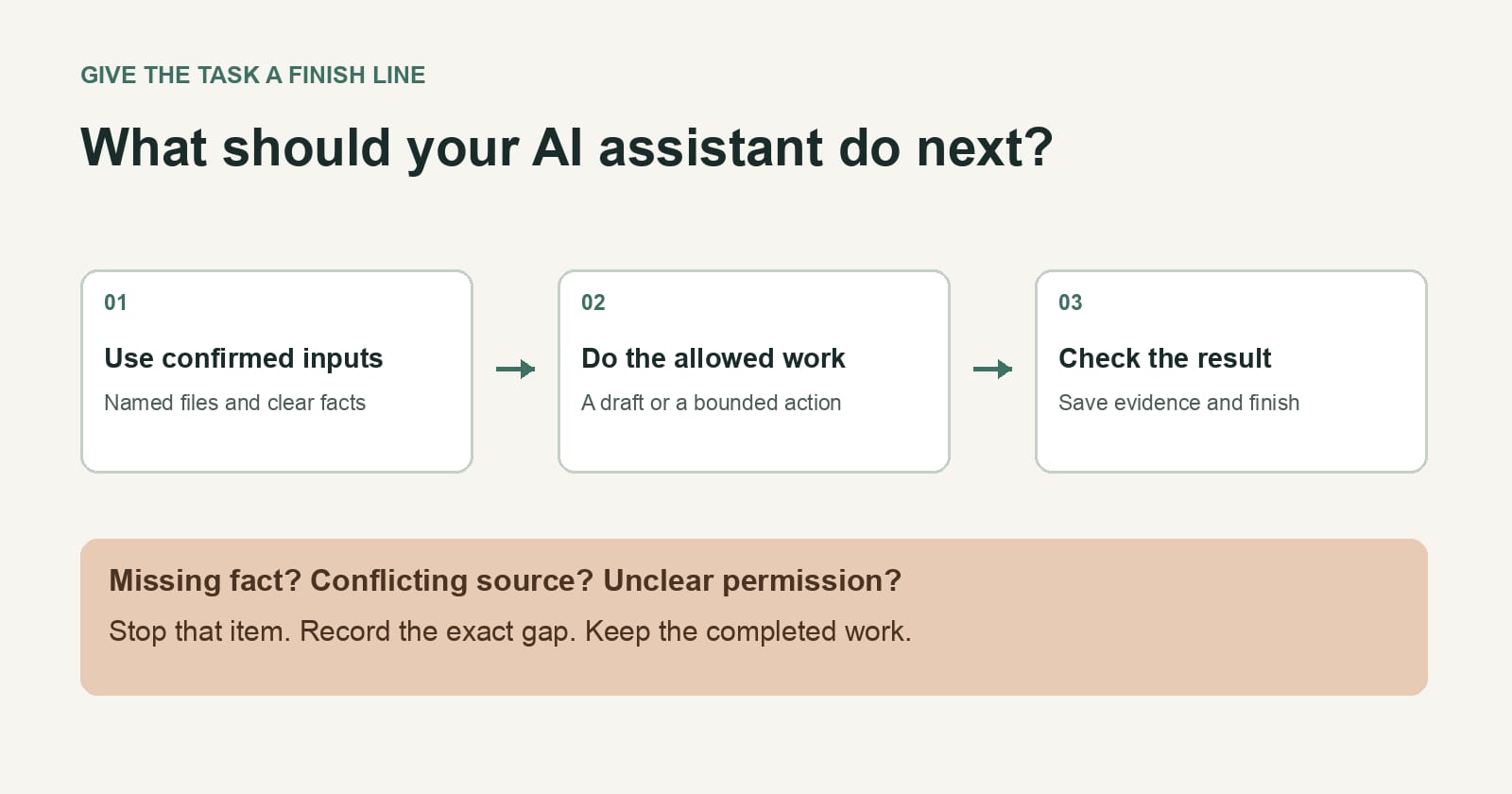
An assistant should know when to stop before you let it do more. A stop rule says what it may finish, what requires your approval, and what happens when the facts run out. Write it beside the task, while you can still see the boundary clearly.
Here's a hypothetical job at a small catering business. Twelve Friday orders need a delivery update. You ask an assistant to prepare the notes, and it has the order list, the new delivery schedule, and access to your email draft folder. The helpful next step seems obvious: write the notes. But one order has no confirmed time, and another has two email addresses. Should it guess the time, send a vague promise, or email both addresses? A better tool won't settle those choices for you.
I'd give the assistant a short rule like this:
Draft a separate update for each affected order using its confirmed delivery window. Save drafts for my review. Don't send them. If an order has no confirmed window or more than one possible recipient, leave that draft unsent and list the order number with the missing decision. Stop after you've checked the order list once. Don't search other accounts or infer a delivery time from past orders.
That paragraph gives the assistant useful work and a finish line. You can review the clean drafts in a batch, then resolve the awkward orders yourself.
Set the boundary before the work starts
The rule needs four parts. You don't need special software to write them.
Allowed result. Name the thing you want to receive: a draft, a shortlist, a reconciled invoice, or a proposed change. "Handle the delivery update" leaves too much room. "Save drafts for the 12 affected orders" gives you something to inspect.
Approval point. Name the first action that affects someone else or changes a record you rely on. In the example, sending the email is that point. For a bookkeeper's assistant it might be changing an invoice status. For a shop owner it might be ordering replacement stock. You can approve each action when it's ready, or authorize a bounded set in advance, such as sending only the updates with confirmed times to the single address on each order. Say which you mean. Don't make it infer permission from your enthusiasm for automation.
Unknowns. Tell it what to do when a required field is blank, two sources disagree, or a person could be confused with someone else. "Ask me" is often fine. But ask for the exact missing choice, with a link or order number, so you aren't sent a general plea for more context.
End condition. Give it a bounded pass: one customer list, a named set of documents, or a deadline. Otherwise a diligent assistant can spend your afternoon looking for a certainty that doesn't exist. A useful end condition also makes its result easier to check: you know what it examined and what it didn't.
Here's a fill-in version for a task you're considering today:
Produce [reviewable result] from [named inputs]. You may [allowed actions]. Before [action requiring approval], show me [the evidence and proposed action]. If [required fact] is missing or conflicting, mark that item [status] and ask me [specific question]. Stop after [bounded pass]. Report what you finished, what you left open, and where each result is saved.
Don't turn this into a legal document. If the instruction takes longer to understand than the job, shrink it. The purpose is to make a decision visible at the moment the assistant reaches it.
Make a stopped task easy to restart
"Stopped" should be a useful result, not a blank screen. In the catering example, the assistant could leave ten drafts ready for review and a two-line list: order 104 needs a confirmed arrival time; order 117 needs a recipient. You can answer those two questions without rereading every order.
When you resume the task, give the answer and the same boundary again. A new instruction like "go ahead" can be read more broadly than you meant. "Use 2–3 p.m. for order 104, draft it, and keep all emails unsent" is much harder to misread.
I think small businesses will get more value from a clear stop rule than from connecting one more app. You can always add a tool later. You can't ask a customer to unsee a guessed delivery promise.
Alek Perak is a Tokenrip co-founder. Tokenrip is a shared workspace for files, tasks, and decisions; agents run in the tools people already use. A workspace can hold the written rule and the result, but it doesn't enforce a prompt's stop rule.