A handmade product often has a detail that a single catalogue photo cannot show clearly: the ridge of a stitched seam, the weave of a pouch, or the glaze on a cup. A short image-to-video shot can be planned around that detail. The useful question is not “How do I make this look cinematic?” It is “What should the viewer notice at the end that they could not see at the start?”
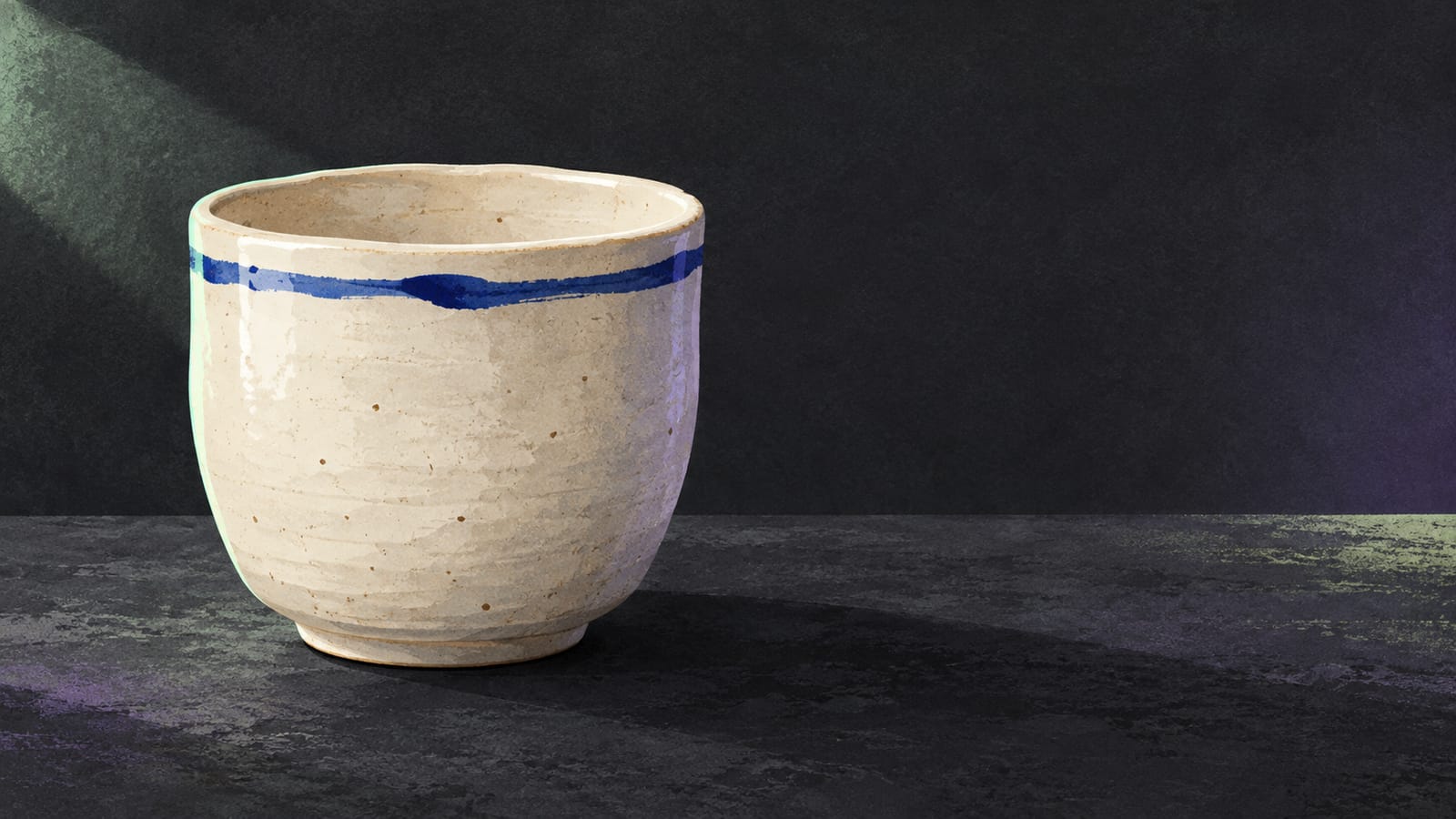
Consider a fictional seller preparing an online catalogue for a hand-finished ceramic cup. The first photograph shows the complete cup on a plain table. The second is a closer view of one uneven blue glaze line near the rim. These are teaching illustrations, not real listing photos or frames from a generated video.
1. Choose photographs that tell the truth about the item
Before writing a product image-to-video prompt, inspect the two source photographs as a buyer might. Is the glaze line genuinely on the item? Is the cup the same colour in both pictures? Does the second photo move closer without quietly replacing the cup or changing the background? For a handmade item, a small irregularity can be the point of the shot. Do not “correct” it in a prompt into a finish the product does not have.
Keep the first image wide enough to identify the whole cup and the last image close enough to see the glaze. Take both in similar light if you can. The second picture is a deliberate crop, so a camera move is needed; this is different from asking the cup itself to turn. Keep a copy of the source files beside your catalogue draft, and use only photographs you are allowed to publish.
2. Write one move from overall shape to material detail
Make the brief about the movement between those two views. In this example, the cup stays on the table. The camera moves slowly towards the upper rim until the blue glaze line occupies the closing frame. Avoid adding a spinning cup, a hand lifting it, flying clay dust and changing light in the same five-second plan. Each extra action competes with the detail you want to show.
Here is a copyable draft for the fictional pair:
“Begin with the full ceramic cup on the table in the first image. The camera makes one slow, steady push towards the blue glaze line near the rim. The cup remains still and the background and light remain consistent. End on the close view shown in the second image, with the handmade surface visible.”
This is a prompt template, not a description of a result. If your final photo is from the opposite side of the cup, either retake it or name that camera change in the brief. Do not ask the model to connect two contradictory views while claiming a straight push-in.
3. Test a short idea, then judge the actual picture
To try the cup plan, open the VideoWeb AI free image-to-video tool. Put your own full-cup photograph in the opening-image field and the close photograph of its real blue glaze line in the optional closing-image field. The page accepts JPEG, PNG and WebP. Paste the brief above into the motion-prompt field. Choose 1:1 for a square catalogue tile if both photographs retain the cup and rim after cropping; for a vertical social placement, use 9:16 with suitably framed photographs, or 16:9 for a wide layout. The format choice should follow the intended placement and source crops, not a promise of better generation.
The free form lists a five-second, 480p clip without signup. Submission requires verification, and its free queue may take time. Wait for a returned clip before recording any observation; the page says history is available only in the current browser, so keep the original photographs and any returned file in your own project record. This is a plan for a fictional cup, not a test or an example of a result.
Disclosure: This article was prepared for VideoWeb AI and links to its free image-to-video tool.
When a clip returns, compare its first and last frames with the actual cup photographs before using it in a catalogue or social post. Does the cup still look like the item being sold? Does the final view show the real glaze line rather than an invented pattern? Is any maker's mark or printed text distorted? If the glaze or mark changes, keep the still photographs as the reliable product record. Try a closer matching pair of crops or simplify the camera instruction, changing one input at a time; if the detail remains inaccurate, revise the shot plan instead of publishing a misleading clip.
The same method works for a stitched pouch or a handwoven mat: choose one real detail, pick an overall and a detail image, describe one camera path, and review the result against the actual item. The product, not the prompt, sets the standard for what the final post may honestly show.