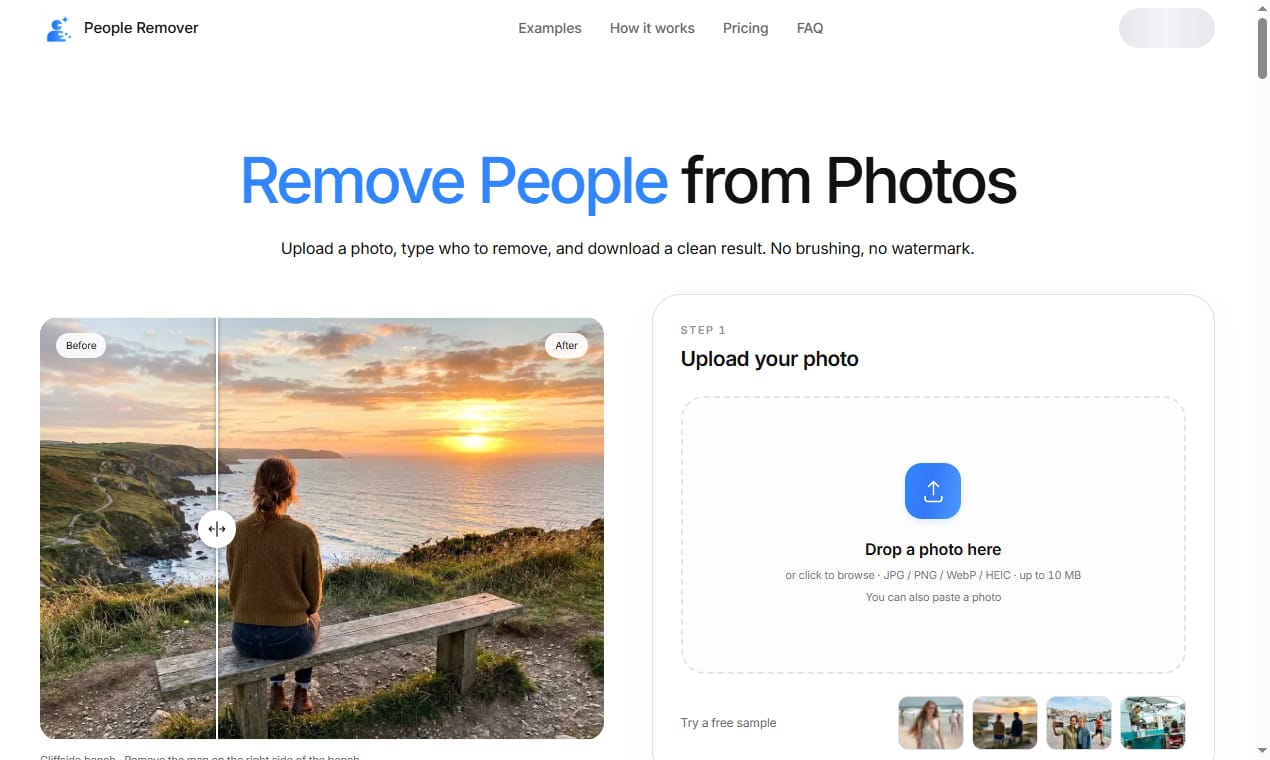
Removing unwanted people from a photograph used to mean hours in Photoshop, careful cloning, and a very steady hand. Today, People Remover makes the same result possible in just a few seconds. It is an AI-powered tool that detects strangers, crowds, and photobombers in your image and paints them out so naturally that the background behind them is reconstructed without a visible seam.
The core idea is simple. You upload a photo, brush over the person you want gone, and the model fills the empty space with plausible scenery. Because the system understands edges, textures, and lighting, the repaired region usually matches the surrounding pavement, sand, or sky. For travel shots taken in busy places, this is a genuine lifesaver.
People Remover is built for people who are not editors. There is no layer panel, no mask refining, and no terminology to learn. The interface shows your image, a brush, and a single action button. You paint, you click, and you wait a moment while the neural network rebuilds the scene. The result downloads as a clean JPEG or PNG, ready to share.
Speed is where the product really stands out. A typical holiday photo with one stray walker is processed in well under ten seconds on a standard connection. Batch mode lets you queue several frames from the same location, which is handy when you shot a sequence and only one frame is clear of people. What used to take an evening now takes a coffee break.
Quality matters as much as speed. The model was trained on millions of real-world pairs of occupied and cleaned images, so it rarely produces the smeared, watery artifacts that early inpainting tools produced. Hair, reflections, and complex foliage are still challenging, but for the vast majority of everyday scenes the output looks completely untouched to the casual eye.
Privacy is handled thoughtfully. Small images can be processed locally in the browser, and larger jobs use encrypted uploads that are deleted shortly after processing. You are not forced to create a public profile or share your photos with a social feed, which keeps the workflow calm and private. Your memories stay yours.
Use cases are broader than tourists. Real-estate agents remove occupants before listing a home so buyers focus on the space. Event photographers clear backgrounds for cleaner booth shots. Researchers clean datasets of human subjects before annotation. Anyone who has ever wished a stranger had not walked into the frame will find a practical use for it.
People Remover also fits neatly into a content pipeline. Bloggers and marketers use it to purify hero images, and designers drop the cleaned export straight into a layout. Because the output is a standard raster file, it works with every tool you already own, from slide decks to print catalogs. There is no lock-in and no proprietary format to untangle later.
The learning curve is essentially flat. A first-time user can open the app, upload a phone photo, and produce a convincing result within the first minute. Helpful hints appear only when you need them, and the brush size adapts to the area you are working on, which removes a lot of fiddly manual adjustment.
Cost is predictable. casual users get a generous free allowance, and heavier workflows are covered by simple, transparent plans rather than confusing credit systems. There are no surprise charges, and you can export at full resolution without a watermark when you are on a paid tier.
If you want a photo that shows the place rather than the crowd, give the tool a try. Upload, brush, and download — the stranger in your shot is gone, and the memory you actually wanted is the only thing left in the frame. For a fast, private, and genuinely useful cleanup, People Remover is worth keeping in your toolkit.