
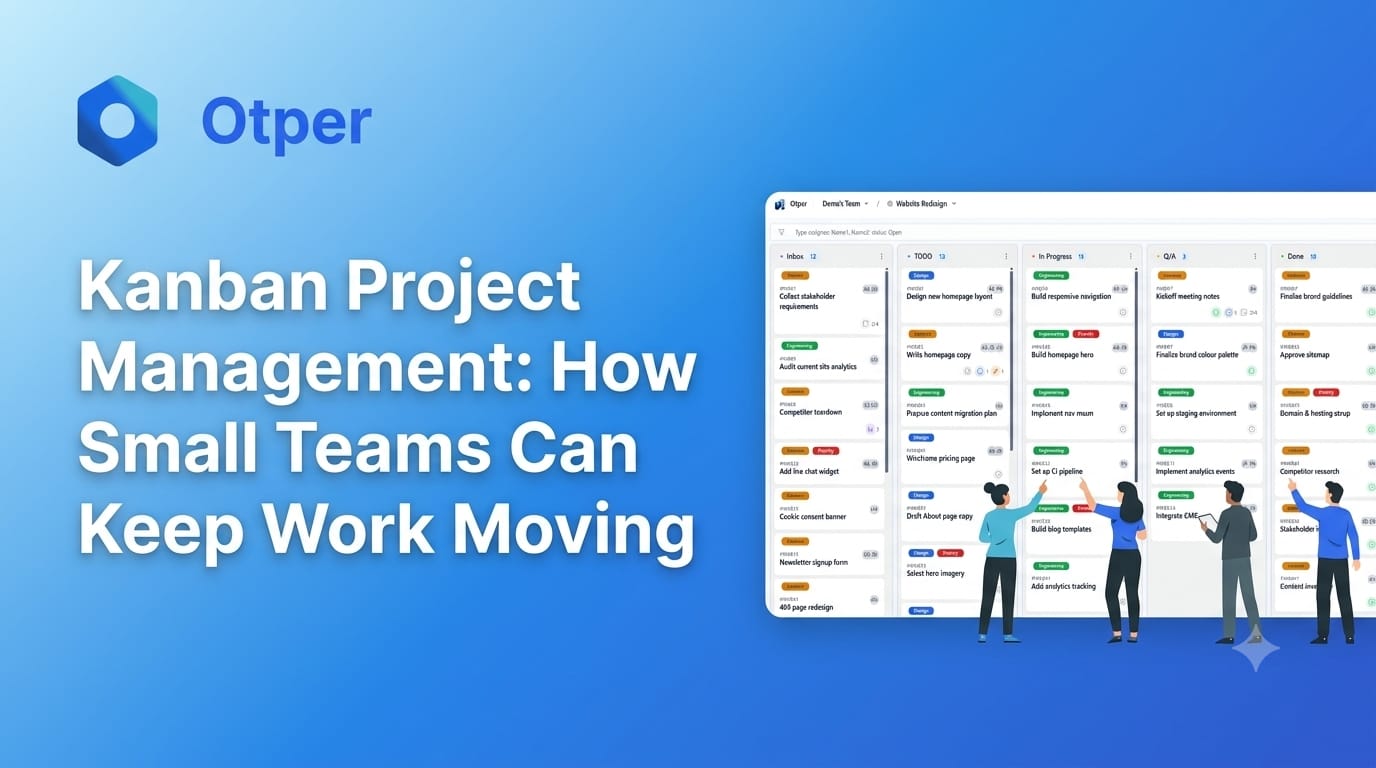
Small teams rarely have the luxury of focusing on one project at a time. A developer might be fixing a bug while building a feature. A designer may be waiting for feedback, while a project manager is trying to understand why a deadline is slipping. Everyone is busy, but important work can still remain unfinished.
This is where Kanban project management can help. Instead of relying on long status meetings or scattered task lists, Kanban gives a team a shared view of what needs to be done, what is being worked on, and what is preventing progress.
The goal is not simply to track more tasks. It is to help the team finish meaningful work consistently.
What Is Kanban Project Management?
Kanban is a visual approach to managing work. Tasks move through defined stages, usually represented as columns on a board. A simple workflow might include:
To Do: Work that is ready to begin.
In Progress: Work currently being handled.
Review: Work awaiting feedback, approval, or testing.
Done: Work that meets the team's completion criteria.
Each task appears as a card containing useful details such as its title, owner, priority, deadline, and current status.
As work progresses, the card moves across the board. Team members can see the current state of a project without asking everyone for an update individually.
Kanban is flexible enough for software development, marketing, design, customer support, and other team workflows. Teams can begin with a few columns and adjust them as their process becomes clearer.
Why Small Teams Need a Clear Workflow
In a small team, one delayed task can affect several other activities. A designer waiting for requirements may delay a developer. A developer waiting for a review may hold up a release. When these dependencies remain invisible, deadlines can slip without an obvious explanation.
Three common problems make this worse.
Too many tasks are started at once. Team members switch between activities, leaving several tasks partially completed.
Nobody knows who owns the next step. A task may be assigned to a group, but no individual feels responsible for moving it forward.
Problems become visible too late. A task can sit in progress for days without anyone noticing that it is blocked.
A Kanban workflow helps expose these issues earlier. The board shows where work is accumulating, while task-level details make ownership and next steps easier to understand.
1. Start With a Simple Kanban Board
Small teams do not need a complicated process to get started. A board with three or four stages is often enough.
For example, a small product team could use:
To Do, In Progress, Review, Done, Fix login issue, Build dashboard filter Check mobile layout Update help page Prepare release notes Improve task search Test notifications Resolve old bug
The example illustrates how different activities can move through one visible workflow. In practice, teams should use columns that reflect their actual process.
Avoid creating a separate column for every minor activity. Too many stages can make the board difficult to maintain. Start with the major steps and add detail only when it helps the team make better decisions.
Most importantly, agree on what each column means. For example, does a task enter “Done” when development finishes, or only after testing and approval? A shared definition prevents different team members from interpreting progress differently.
2. Give Every Task a Clear Owner
A task without clear ownership can remain untouched even when everyone knows it exists.
For each active task, identify one person responsible for moving it forward. Other teammates can contribute, review, or provide support, but one owner should coordinate the next step.
A useful task card should answer four questions:
What needs to be completed?
Who owns it?
When is it due, if there is a deadline?
What does completion look like?
Compare “Improve onboarding” with “Update the signup instructions and verify the revised flow on mobile.” The second task is more specific and easier to review.
Ownership does not mean that one person must do every part of the work alone. It means the team knows who is accountable for coordinating progress and raising blockers.
For small teams, this simple practice can reduce repeated questions, missed handoffs, and confusion about responsibilities.
3. Limit Work in Progress
One of the most useful Kanban practices is limiting work in progress, often called WIP.
Imagine a team of four people working on twelve active tasks. Each person switches between several activities, and tasks wait for feedback or completion. The team may appear productive because many things are underway, yet few reach the finish line.
A WIP limit places a practical boundary on how many tasks can be active at a particular workflow stage. Instead of continually starting new work, the team focuses on completing or unblocking existing tasks.
For example, a team might initially agree to have no more than four tasks in its main “In Progress” stage. That number is only an illustration; the right limit depends on the team's capacity, task size, and workflow.
When the limit is reached, team members can ask:
Can we finish an existing task before starting another?
Is a review or decision holding up progress?
Can someone help a teammate clear a blocker?
Are tasks too large and difficult to complete?
WIP limits should be reviewed as the team learns. They are not a way to pressure people into working faster. Their purpose is to reveal overload, encourage focus, and make delays easier to address.
4. Find Bottlenecks Before Deadlines Slip
A bottleneck occurs when work accumulates at one stage because the next step cannot keep up.
For example, developers may complete features quickly, but only one person is available to review them. The development column looks productive while the review column grows. Eventually, completed code is waiting rather than reaching users.
A Kanban board makes this accumulation visible. The team can investigate whether the cause is limited capacity, unclear requirements, missing information, or a slow approval process.
During a short daily review, ask:
Which task has been waiting the longest?
Which stage contains the most unfinished work?
Is anything blocked by another person or decision?
What can we do today to move an existing task forward?
These questions shift the conversation from “What is everyone doing?” to “What is stopping the work from moving?”
That change matters because a team does not always need to add more people or extend working hours. Sometimes it needs to resolve a dependency, clarify a decision, or improve a handoff.
5. Keep Priorities Visible
Small teams often receive urgent requests while already working toward existing deadlines. Without clear priorities, every new request can become the next task someone starts.
Use a consistent method to distinguish urgent work from important but non-urgent work. A priority label, a ranked backlog, or a clearly marked deadline can help.
Agree on how urgent requests enter the workflow. If every new request automatically jumps ahead of existing work, the team's original commitments become difficult to meet.
When priorities change, update the board and explain what has changed. If a new task must take precedence, make the trade-off visible: which existing task will be delayed or paused?
This approach helps the team respond to change without losing track of its commitments.
6. Track Progress, Not Just Activity
Counting tasks in progress does not tell the whole story. To understand whether a workflow is improving, small teams should look at a few practical indicators.
Throughput: How many tasks does the team complete in a given period?
Cycle time: How long does it take a task to move from the agreed start point to completion?
Work item age: How long has a task remained unfinished since work began?
Overdue work: Which tasks have passed their deadlines, and what is causing the delay?
These measures answer different questions. Throughput shows completed output, cycle time helps the team understand delivery speed, and work item age highlights active tasks that may need attention.
Avoid using these metrics to rank individuals or encourage rushed work. Their value comes from identifying patterns in the workflow. If tasks repeatedly wait for review, for instance, the team can investigate that stage rather than blaming whoever happens to be waiting.
Start with one or two measures that help solve a real problem. Add more only when the information supports a useful decision.
7. Make the Board Part of the Daily Routine
A Kanban board works only when it reflects reality. If team members forget to update task statuses, the board becomes another administrative responsibility rather than a useful source of information.
Build small habits around it:
At the start of the day: Review priorities, blocked tasks, and work approaching its deadline.
When work changes: Update the card so teammates can understand its current status.
When a task is blocked: Record what is needed to unblock it and who can help.
At the end of the week: Look for recurring delays, unfinished work, and opportunities to simplify the process.
Keep these reviews brief and focused on action. The purpose is not to discuss every card in detail. It is to identify what needs attention and agree on the next steps.
For distributed or hybrid teams, this shared visibility is especially useful because progress does not depend on everyone being available at the same time.
Choosing a Kanban Project Management Tool
A physical board or a simple digital board may be enough for a team just getting started. As work becomes more complex, software can help keep task ownership, deadlines, workflow stages, and reporting in one place.
When evaluating a Kanban project management tool, consider whether it allows your team to:
Create and customize workflow stages.
Assign a clear owner to each task.
Set due dates and identify overdue work.
Highlight blocked tasks and accumulating work.
Review delivery progress without manually compiling every update.
See enough reporting data to understand how work moves through the system.
The best choice is not necessarily the tool with the most features. It is the one your team can keep updated and use to make decisions.
Otper is one option for teams looking to organize work with Kanban boards, task ownership, deadlines, Gantt views, and reporting analytics. Teams can explore it at Otper. The same principle applies regardless of the software chosen: make the workflow visible, clarify responsibility, and use the information to remove delays.
Final Thoughts
Kanban project management helps small teams keep work moving by making the next step clear and unfinished work visible.
Start with a simple board. Give each active task a clear owner. Limit how much work is happening simultaneously. Pay attention to tasks that are waiting, and use a few meaningful measures to understand delivery.
The biggest improvement often comes from changing the team's daily question. Instead of asking, “What else can we start?”, ask, “What is preventing us from finishing the work already underway?”
When teams focus on flow rather than activity alone, they can make better use of their limited time, respond to problems earlier, and deliver work more consistently.