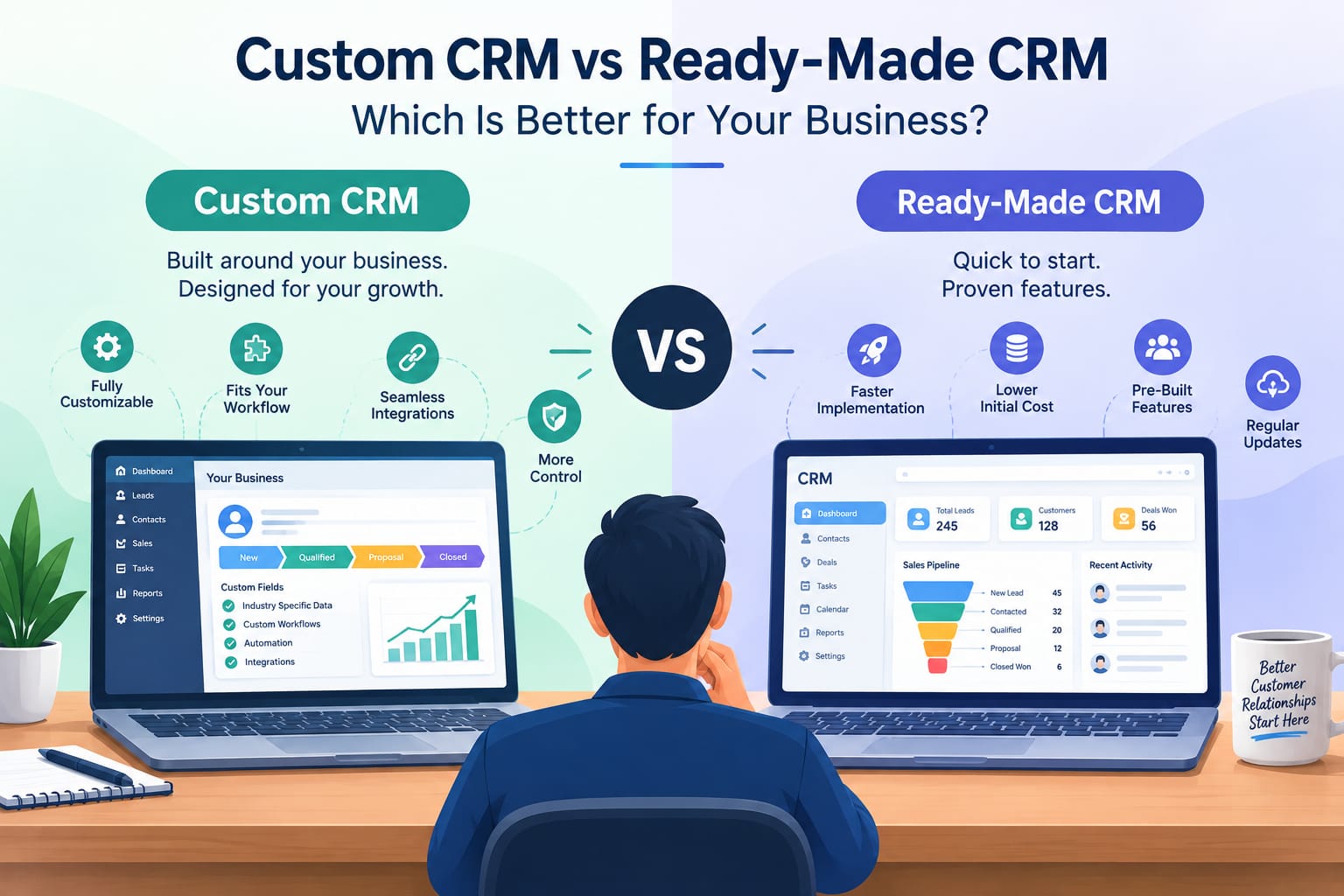
Choosing the right CRM can shape how your business manages customers, tracks leads, and grows. Should you invest in a custom-built CRM or choose ready-made software? The answer depends on your business needs, budget, workflows, and long-term goals.
As businesses grow, managing customer information through spreadsheets, emails, and disconnected applications becomes increasingly difficult. A Customer Relationship Management (CRM) system helps organize customer data, manage sales pipelines, automate follow-ups, and improve team productivity.
But choosing a CRM is not always straightforward. Some businesses need a simple, ready-to-use platform, while others require software designed around their specific operations.
This brings us to an important question: Custom CRM vs Ready-Made CRM — which is better?
In this guide, we'll compare both options, explore their features, costs, advantages, and limitations, and explain when businesses should choose custom development, ready-made software, or a combination of both.
1. What Is a Ready-Made CRM?
A ready-made CRM, also known as an off-the-shelf CRM, is pre-developed software that businesses can purchase or subscribe to.
These platforms are designed to support common customer management activities across different industries. Instead of building an application from scratch, businesses can sign up, configure their settings, and start managing customer relationships.
Popular ready-made CRM platforms include:
Salesforce: Offers sales, customer service, marketing, and enterprise CRM capabilities.
HubSpot CRM: Provides contact management, sales pipelines, marketing tools, and automation.
Zoho CRM: Supports lead management, sales tracking, and workflow automation.
Pipedrive: Focuses on sales pipeline and deal management.
Most ready-made CRM platforms provide features such as:
Contact and customer management
Lead tracking and assignment
Sales pipeline management
Email integration
Task and reminder management
Reporting and analytics
Workflow automation
For example, a small consulting company can use a ready-made CRM to store customer information, assign leads to sales representatives, schedule follow-ups, and monitor sales opportunities.
The biggest advantage is that businesses do not need to develop these features themselves.
However, the available customization options depend on the platform and subscription plan.
2. What Is a Custom CRM?
A custom CRM is software developed specifically around a company's business requirements, workflows, and operational processes.
Unlike ready-made platforms, which provide predefined functionality, a custom CRM allows businesses to decide which modules, features, dashboards, integrations, and automation workflows they need.
Consider a company that provides website development, IT services, and custom software solutions.
Its sales process might require:
Managing inquiries from multiple service categories
Assigning leads to specialized departments
Creating customized quotations
Tracking customer discussions
Managing approvals
Connecting customer records with project management
Generating business-specific sales reports
A standard CRM might support some of these requirements, but other processes could require additional customization or workarounds.
A custom CRM can bring these activities together in one application.
The development process generally involves:
Understanding business requirements.
Designing the database and application architecture.
Creating the user interface.
Developing the required CRM modules.
Integrating third-party services.
Implementing access controls and security.
Testing and deploying the application.
Providing ongoing maintenance and improvements.
A custom CRM can be developed as a web application, mobile application, or both.
Businesses can also plan future features according to their changing requirements, provided the software ownership and maintenance arrangements are clearly defined.
3. Custom CRM vs Ready-Made CRM: Key Differences
The main difference is how each solution handles business requirements.
A ready-made CRM provides an existing framework that businesses configure and use. A custom CRM is developed around specific business processes.
Comparison FactorCustom CRMReady-Made CRMDevelopmentBuilt for specific requirementsAlready developedInitial investmentGenerally higherGenerally lowerImplementation timeUsually longerUsually fasterCustomizationExtensive, within project scopeDepends on platform and planFeaturesSelected according to requirementsPredefined featuresIntegrationsCan be developed for specific systemsOften includes existing integrationsMaintenanceBusiness or development partner responsibilityPrimarily vendor responsibilityUpdatesPlanned by the owner or developerReleased by the providerScalabilityDepends on architecture and engineeringDepends on vendor infrastructure and planUser interfaceDesigned around business needsBased on vendor interfacePricing modelDevelopment, hosting, and maintenanceSubscription and additional feesSoftware controlDepends on contract and ownership rightsVendor controls the platform
Neither option is automatically better. The right choice depends on your business size, operational complexity, budget, and long-term goals.
4. Advantages and Disadvantages of Ready-Made CRM
Ready-made CRM platforms are popular because they allow businesses to start managing customers without developing an entire application.
However, convenience comes with certain limitations.
Advantages of Ready-Made CRM
1. Faster Implementation
Most ready-made CRM platforms can be configured and deployed relatively quickly.
Businesses can create accounts, import customer information, configure sales pipelines, and begin using the system without waiting for a complete software development project.
2. Lower Initial Investment
Ready-made CRM platforms usually operate on subscription-based pricing.
This reduces the initial financial commitment compared with commissioning a complete custom application.
3. Pre-Built Features
Many platforms already include lead management, contact databases, sales pipelines, email integration, reporting, and workflow automation.
Businesses do not need to develop these features individually.
4. Regular Updates and Support
The software provider generally manages infrastructure, platform updates, bug fixes, and technical support according to the subscription agreement.
5. Existing Integrations
Popular CRM platforms often provide integrations with email services, marketing applications, accounting software, communication tools, and other business applications.
Disadvantages of Ready-Made CRM
1. Limited Customization
Even when a platform supports custom fields, modules, and workflows, businesses must work within its technical and product limitations.
Complex requirements might require paid extensions, consultants, or custom integrations.
2. Recurring Subscription Costs
Most ready-made CRM platforms charge recurring fees.
As the number of users increases or businesses move to advanced plans, subscription expenses can become significant.
3. Dependence on the Provider
Businesses depend on the provider for platform availability, product updates, pricing decisions, and feature availability.
4. Unnecessary Features
Some CRM platforms include numerous features that a business might never use.
Employees may find the interface complicated when they only need a few specific functions.
5. Integration Limitations
Although popular integrations are usually available, connecting specialized internal applications or older business systems may require additional development.
5. Advantages and Disadvantages of Custom CRM
A custom CRM offers greater control over software functionality and business workflows.
However, businesses must also take responsibility for development, security, maintenance, and long-term improvements.
Advantages of Custom CRM
1. Designed Around Business Requirements
The biggest advantage is that the software can be developed according to your actual operations.
For example, a real estate company might need property management, customer inquiries, site visit scheduling, agent assignment, and deal tracking in the same application.
A custom CRM can bring these processes together.
2. Greater Customization
Businesses can decide which features, modules, fields, permissions, and workflows should be included.
They can also request changes as their operational requirements evolve.
3. Integration Flexibility
A custom CRM can be developed to communicate with existing business applications through APIs and other integration methods.
This is useful when a company depends on specialized internal software.
4. Control Over Development Priorities
Businesses can prioritize improvements based on operational needs instead of waiting for a third-party provider to introduce a particular feature.
5. Potential Long-Term Cost Advantages
A custom CRM requires an initial development investment and ongoing maintenance.
However, it may become economically attractive when a business has many users, complex workflows, expensive subscription requirements, or extensive customization needs.
This depends on the actual development and operating costs.
Disadvantages of Custom CRM
1. Higher Initial Development Cost
Developing a CRM requires planning, design, programming, testing, and deployment.
The investment depends on the application's complexity, number of modules, integrations, and security requirements.
2. Longer Development Time
A custom CRM cannot usually be launched as quickly as an existing subscription platform.
Requirements must be understood, developed, tested, and reviewed before deployment.
3. Ongoing Maintenance Responsibility
Businesses must arrange software maintenance, security updates, backups, bug fixes, infrastructure management, and future improvements.
4. Dependence on Development Expertise
If the original development team becomes unavailable, another developer must understand the architecture and maintain the application.
Proper documentation and code ownership arrangements help reduce this risk.
5. Development and Security Risks
Poorly planned software can introduce performance problems, security vulnerabilities, and operational difficulties.
A custom CRM therefore requires proper architecture, testing, access controls, and ongoing security management.
6. Custom CRM vs Ready-Made CRM: Cost Comparison
Cost is one of the biggest considerations when choosing between custom and ready-made CRM software.
However, comparing only the initial development cost with a monthly subscription can be misleading.
Businesses should consider the total cost of ownership over several years.
Ready-Made CRM Costs
Ready-made CRM platforms generally use subscription-based pricing.
The amount depends on:
Number of users
Subscription plan
Available features
Automation requirements
Storage limits
Third-party integrations
Additional support services
For example, Salesforce publicly lists different subscription tiers with different features and per-user pricing. HubSpot's CRM pricing also varies by product and plan.
These prices can change, so businesses should check the providers' official pricing pages before purchasing.
Custom CRM Costs
Custom CRM costs depend on the scope of development.
Some major cost components include:
Requirement analysis
UI/UX design
Frontend development
Backend development
Database development
Third-party integrations
Testing and deployment
Hosting and infrastructure
Maintenance and future improvements
A basic CRM with contact management and lead tracking will have different development requirements from an enterprise system with advanced automation, multiple departments, and complex integrations.
Which Is More Economical?
A ready-made CRM may be more affordable for a small business with standard requirements.
A custom CRM may offer better long-term value when the business needs extensive customization or pays substantial recurring fees for multiple users and additional features.
The right comparison should consider at least three years of expected costs rather than looking at the initial price alone.
7. When Should You Choose a Ready-Made CRM?
A ready-made CRM is generally the better starting point when your business needs standard customer management features and wants to begin quickly.
Consider choosing a ready-made CRM if:
You are a startup or small business.
If your company has a small sales team and needs basic contact management, lead tracking, and follow-up reminders, an existing CRM may provide everything you need.
You can also explore our guide to the best CRM software for small businesses to understand the available options.
Your business follows a standard sales process.
Businesses that manage customers through conventional sales pipelines often do not need a completely customized application.
You have a limited initial budget.
A subscription-based CRM allows you to start with a smaller upfront investment and expand as your business grows.
You need to launch quickly.
If your sales team needs a CRM immediately, purchasing an existing platform is generally faster than developing software from scratch.
Your required integrations already exist.
If your CRM only needs to connect with commonly used business applications, existing integrations may reduce implementation effort.
8. When Should You Choose a Custom CRM?
A custom CRM becomes worth considering when standard software cannot properly support your business operations.
Here are some situations where custom development may make more sense.
Your business has unique workflows.
For example, a manufacturing company might need customer inquiries, quotations, production updates, inventory information, and delivery tracking connected to one system.
If existing CRM platforms cannot support these processes effectively, custom development may be appropriate.
You need multiple business operations in one application.
Some organizations want their CRM to work alongside:
Project management
Employee management
Quotation generation
Invoice management
Inventory tracking
Customer support
Business reporting
A custom application can connect these modules according to the company's requirements.
You require specialized integrations.
If your business depends on internal applications, proprietary databases, or specialized APIs, a custom CRM may provide more flexibility.
Subscription costs are becoming difficult to manage.
As the number of employees increases, per-user subscription fees can add up. Businesses should compare those costs with the development, hosting, maintenance, and upgrade expenses of a custom solution.
You want control over the product roadmap.
If your business needs to decide exactly how features are developed and prioritized, custom software can offer greater control, subject to the ownership and development agreements.
For example, businesses that currently manage leads in spreadsheets may eventually need a more structured application. Our guide on converting Google Sheets leads into a CRM using Google Apps Script explores one way to move beyond manual lead tracking.
9. A Third Option: Hybrid CRM
There is another approach that businesses often overlook: a hybrid CRM.
A hybrid CRM combines an existing CRM platform with custom-developed modules, integrations, or automation.
Instead of developing the entire application from scratch, businesses use an existing platform for standard functionality and build additional features where necessary.
For example:
Use an existing CRM for contact management.
Develop a custom quotation management module.
Integrate the CRM with internal project management software.
Build specialized reporting dashboards.
Automate business-specific approval processes.
Benefits of a Hybrid CRM
Reduces the need to develop standard CRM functionality.
Allows customization for specialized requirements.
Uses existing integrations where available.
Can reduce development time compared with a complete custom build.
Provides flexibility without replacing the entire existing platform.
However, hybrid solutions also introduce dependencies between the CRM provider and custom-developed components. Businesses should consider integration maintenance, API limitations, subscription costs, and upgrade compatibility.
For organizations with standard customer management needs but a few specialized workflows, a hybrid approach can be a practical middle ground.
10. CRM Automation: Why It Matters When Choosing a Solution
A CRM is not just a place to store customer information. Automation can make it much more useful by reducing repetitive administrative work.
For example, a CRM can help businesses:
Assign new leads to sales representatives.
Send follow-up reminders.
Update lead statuses.
Notify employees about important activities.
Track customer interactions.
Generate sales reports.
Consider a business that receives customer inquiries through its website, email, and WhatsApp. If employees manually copy every inquiry into a spreadsheet, some leads may be delayed or overlooked.
An integrated CRM workflow can help centralize those inquiries and organize follow-ups.
For businesses exploring communication automation, Convo's WhatsApp Business inbox and automation provides a related example of how customer conversations can be managed more systematically.
Before investing in automation, it is also worth identifying which processes actually need it. Our article on what to automate first in your business explains how to prioritize repetitive tasks.
11. Custom CRM vs Ready-Made CRM: Real-World Business Examples
Let's understand the difference through a few practical business scenarios.
Example 1: A Small Marketing Agency
A marketing agency has five employees and manages client inquiries, meetings, and follow-ups.
Recommended: Ready-made CRM.
A standard platform can handle its contact management and sales pipeline without requiring a separate development project.
Example 2: A Manufacturing Company
A manufacturer needs to connect customer inquiries, customized quotations, production updates, and delivery information.
Recommended: Custom or hybrid CRM.
A tailored solution may provide better integration between its customer management and operational processes.
Example 3: A Growing Enterprise
An enterprise has multiple sales departments, complex reporting requirements, and existing software integrations.
Recommended: Evaluate both options.
An enterprise-ready CRM may already provide the required capabilities. Custom development becomes attractive if important operational requirements remain unsupported.
These examples demonstrate why business requirements matter more than company size alone.
12. How to Choose the Right CRM for Your Business
Before making a decision, evaluate your requirements instead of choosing software based only on popularity or price.
Here are six questions worth considering.
1. What problems are you trying to solve?
Identify whether your biggest challenges involve lead tracking, customer communication, reporting, sales automation, or disconnected business systems.
2. How complex are your workflows?
If your business follows a straightforward sales process, an existing CRM may be sufficient. If several departments depend on specialized workflows, investigate customization options.
3. How many people will use the system?
Calculate current and expected user numbers. Consider how per-user pricing may change as your company expands.
4. Which integrations are necessary?
List the applications and services your CRM must communicate with. Verify whether existing integrations support your requirements.
5. Who will manage maintenance?
For a ready-made CRM, understand the vendor's support and service arrangements. For custom development, identify who will handle hosting, backups, security, and future updates.
6. What is your long-term budget?
Compare subscription fees, implementation, customization, hosting, support, and maintenance over a three-to-five-year period.
A CRM should support business growth without creating unnecessary technical or financial complexity.
13. Frequently Asked Questions (FAQs)
Q1. What is the difference between custom CRM and ready-made CRM?
A custom CRM is developed according to specific business requirements, while a ready-made CRM is a pre-developed platform that businesses purchase or subscribe to and configure.
Custom CRM offers greater control over functionality, whereas ready-made CRM generally provides faster implementation and lower initial investment.
Q2. Is a custom CRM better than Salesforce?
Not necessarily. Salesforce provides extensive CRM capabilities, integrations, and customization options. A custom CRM may be more suitable when a business has specialized workflows that are difficult or expensive to implement on an existing platform.
The better option depends on business requirements, budget, and technical resources.
Q3. How much does custom CRM development cost?
Custom CRM development costs vary according to the number of modules, application complexity, integrations, security requirements, and development scope.
A basic lead management application requires considerably less development than a large enterprise CRM. Businesses should obtain a detailed project estimate before making a decision.
Q4. Is ready-made CRM suitable for small businesses?
Yes. Ready-made CRM platforms are often suitable for small businesses because they provide standard features such as contact management, lead tracking, sales pipelines, and follow-up reminders without requiring complete software development.
Q5. Can a custom CRM integrate with existing business software?
Yes. A custom CRM can integrate with other applications through APIs, webhooks, and other supported integration methods. However, the integration depends on the technical capabilities and access provided by the connected systems.
Q6. Is custom CRM more expensive in the long run?
Not always. Custom CRM requires upfront development and ongoing maintenance expenses, while ready-made CRM usually involves recurring subscription fees.
A custom solution may become more economical over time in certain situations, but businesses must compare the complete cost of ownership rather than assuming that custom development is always cheaper.
Q7. Can businesses switch from ready-made CRM to custom CRM?
Yes. Businesses can migrate from an existing CRM to a custom application by transferring customer records, contacts, sales information, and other relevant data.
However, migration requires careful planning, data mapping, testing, and validation to prevent information loss or disruption.
Conclusion: Which CRM Is Better for Your Business?
The decision between custom CRM vs ready-made CRM depends on what your business actually needs.
A ready-made CRM is an excellent starting point for businesses that want established features, faster implementation, and subscription-based access.
A custom CRM is worth considering when your organization has specialized workflows, complex integrations, or requirements that existing platforms cannot support effectively.
There is also no reason to treat this as an all-or-nothing decision. A hybrid CRM can provide standard customer management features while supporting custom business operations.
Before investing, evaluate your current processes, future requirements, total ownership costs, and maintenance capabilities.
The best CRM is not necessarily the one with the most features. It is the one that helps your business manage customers efficiently, supports your operations, and grows alongside your organization.
If your business is considering a CRM solution, start by documenting your requirements and identifying which processes need to be simplified, automated, or connected. That will make the decision between buying, building, or customizing software much clearer.