
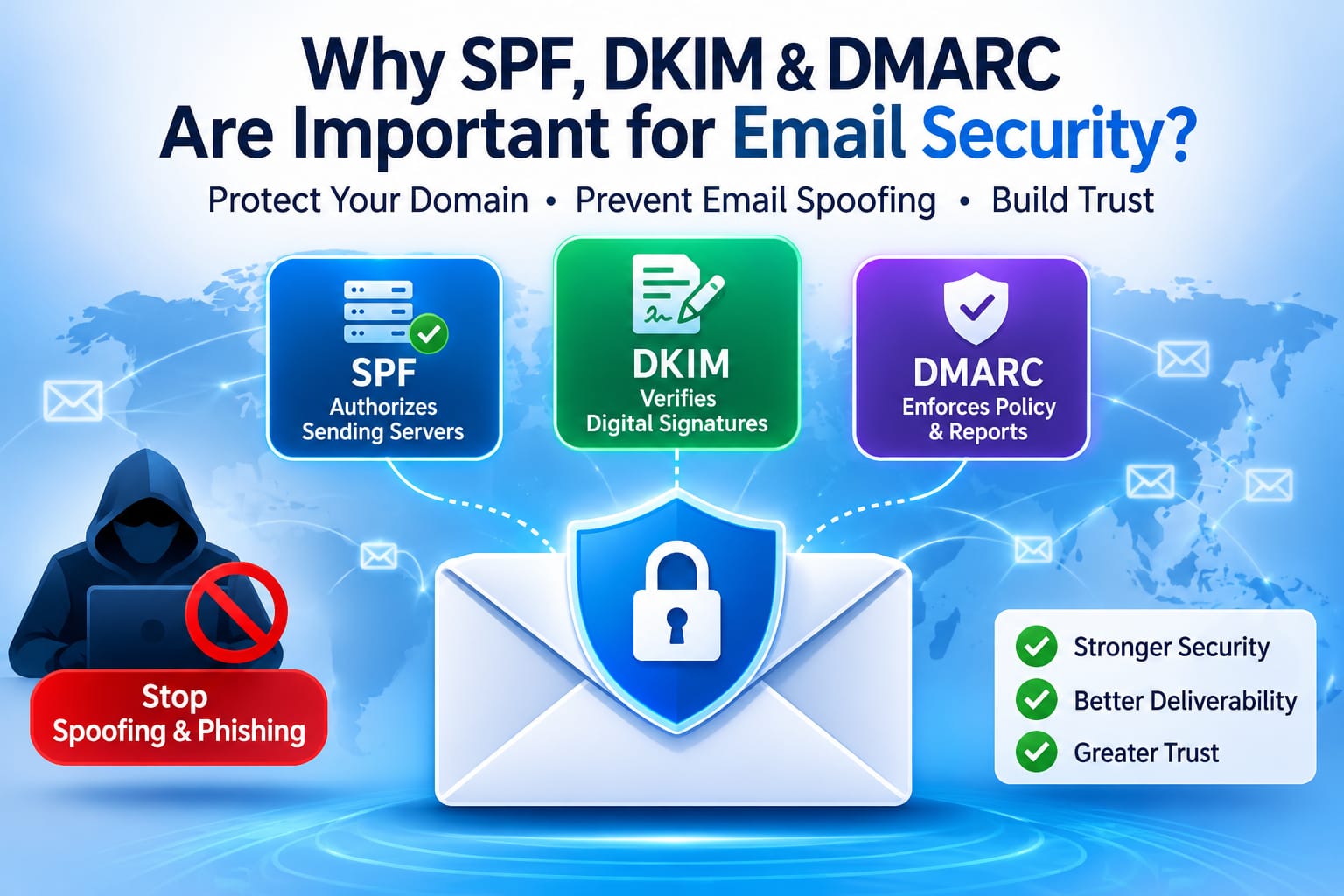
Email remains one of the most widely used communication methods for businesses, websites, and individuals. From password reset messages and order confirmations to invoices, newsletters, and business conversations, email plays an important role in everyday digital communication.
However, email also has a serious security weakness: it is relatively easy for attackers to impersonate another person's or organization's email address.
A message may appear to come from a trusted company, bank, or website even when it was sent by someone completely different. This technique, known as email spoofing, is commonly used in phishing campaigns, business email compromise, and other email-based attacks.
Three important DNS-based email authentication standards help address this problem:
SPF (Sender Policy Framework)
DKIM (DomainKeys Identified Mail)
DMARC (Domain-based Message Authentication, Reporting, and Conformance)
Although each standard performs a different function, they work together to help receiving mail servers verify whether an email is authorized and whether it can be trusted.
Understanding and correctly configuring SPF, DKIM, and DMARC is essential for anyone managing a business domain, website, email server, or online service.
What Is Email Spoofing and Why Is It a Problem?
Email spoofing happens when someone sends an email that appears to originate from a domain they do not control.
For example, imagine your business uses:
yourcompany.com
An attacker could attempt to send a fraudulent email that appears to come from:
accounts@yourcompany.com
The recipient might see your company's name and email address and assume the message is legitimate. The attacker could then request payments, collect login credentials, distribute malicious attachments, or trick customers into sharing confidential information.
Without proper email authentication, receiving mail servers may have difficulty determining whether the sender is authorized to use your domain.
This is where SPF, DKIM, and DMARC become important.
1. What Is SPF (Sender Policy Framework)?
SPF is an email authentication mechanism that identifies which mail servers are authorized to send emails on behalf of a domain.
It works through a DNS TXT record published by the domain owner.
When a receiving mail server receives an email, it can check the sender's domain and compare the sending server's IP address against the domain's SPF policy.
If the sending server is authorized, the SPF check can pass. If it is not authorized, the check may fail.
How Does SPF Work?
Suppose your website sends emails through two services:
Your own mail server
A third-party email delivery provider
Both services need to be included in your domain's SPF policy if they send mail using your domain.
A simplified SPF record might look like this:
v=spf1 ip4:203.0.113.10 include:mailprovider.example -allHere is what the components mean:
SPF componentPurposev=spf1Identifies the SPF record versionip4:203.0.113.10Authorizes a specific IPv4 addressinclude:mailprovider.exampleIncludes another provider's SPF policy-allIndicates that other sources are not authorized
The IP address and provider shown above are examples, not a configuration to copy into a real domain.
Why Is SPF Important?
SPF helps domain owners:
Identify authorized email-sending servers.
Reduce unauthorized use of their domain in email spoofing.
Improve the authentication information available to receiving mail servers.
Maintain a clear list of approved email-sending services.
Support a stronger overall email security policy.
Common SPF Configuration Mistakes
A small DNS configuration mistake can cause legitimate emails to fail SPF authentication.
Common problems include:
Publishing multiple SPF records for the same domain.
Forgetting to authorize a third-party email provider.
Exceeding SPF's limit of 10 DNS-query-causing terms during evaluation.
Using an incorrect IP address or
includemechanism.Publishing an SPF record that does not reflect the actual email infrastructure.
An SPF record should be reviewed whenever you add or remove an email provider.
If you need to create or review an SPF policy, an SPF record generator can help you build the record, while an SPF validator can help check its configuration.
2. What Is DKIM (DomainKeys Identified Mail)?
DKIM is an email authentication method that uses cryptographic digital signatures to help verify that an email was authorized by a domain and that signed parts of the message have not been modified in transit.
Unlike SPF, which checks whether a sending server is authorized, DKIM focuses on the message's digital signature.
The sending mail server signs an outgoing email using a private cryptographic key. The corresponding public key is published in the domain's DNS records.
When the receiving mail server gets the message, it retrieves the public key and uses it to verify the signature.
If verification succeeds, the DKIM check passes.
How Does DKIM Work?
DKIM generally involves two keys:
Private key: Stored securely by the sending email system and used to sign outgoing messages.
Public key: Published in DNS so receiving mail servers can verify the signature.
A simplified DKIM DNS record may look like this:
selector1._domainkey.yourcompany.comThe corresponding TXT record contains the public key and other DKIM information.
The selector identifies which public key should be used for verification. Its actual name depends on the email service or mail server configuration.
Why Is DKIM Important?
DKIM provides several important security benefits:
Helps verify that an email carries a valid signature from the signing domain.
Helps detect unauthorized changes to signed message content.
Makes it more difficult for attackers to forge valid signatures for your domain.
Supports DMARC authentication and domain alignment.
Provides another layer of confidence for receiving mail servers.
DKIM is particularly useful for businesses that send emails through multiple platforms, including hosting providers, marketing services, and transactional email systems.
Common DKIM Configuration Mistakes
DKIM problems often happen when DNS records and email server settings do not match.
Some common mistakes include:
Publishing an incorrect public key.
Using the wrong DKIM selector.
Configuring the wrong private key on the sending server.
Forgetting to publish the DKIM DNS record.
Rotating keys without updating the corresponding DNS configuration.
Using an outdated or incorrectly formatted DNS record.
A DKIM generator can help prepare a DKIM DNS record, and a DKIM validator can help check whether the published configuration is valid.
3. What Is DMARC (Domain-based Message Authentication, Reporting, and Conformance)?
DMARC builds on SPF and DKIM.
It allows a domain owner to publish a policy explaining how receiving mail servers should handle messages that fail DMARC authentication.
It also introduces a reporting mechanism that can provide visibility into email sources using the domain.
The most important feature of DMARC is alignment.
A message can pass SPF or DKIM authentication but still fail DMARC if the authenticated domain does not align with the domain shown in the email's visible From address.
DMARC checks whether at least one of the following is true:
SPF passes and the SPF-authenticated domain aligns with the visible From domain.
DKIM passes and the DKIM signing domain aligns with the visible From domain.
At least one aligned authentication method must pass for DMARC to pass.
How Does DMARC Work?
DMARC uses a DNS TXT record published under:
_dmarc.yourcompany.comA simplified DMARC record might look like this:
v=DMARC1; p=none; rua=mailto:dmarc-reports@yourcompany.comHere is what the main components mean:
DMARC componentPurposev=DMARC1Identifies the DMARC versionp=noneRequests monitoring without DMARC-based quarantine or rejectionrua=Specifies an address for aggregate DMARC reports
The example is a starting point for monitoring, not a complete security policy for every organization.
Understanding DMARC Policies
DMARC supports three main policy options.
1. None (p=none)
This policy is generally used when first introducing DMARC.
It allows domain owners to monitor authentication results and review reports without requesting DMARC-based quarantine or rejection.
2. Quarantine (p=quarantine)
This policy asks receiving mail servers to treat messages that fail DMARC as suspicious. Depending on the receiver's implementation, those messages may be placed in a spam or quarantine folder.
3. Reject (p=reject)
This is the strictest policy. It asks receiving mail servers to reject messages that fail DMARC.
Organizations should not move directly to a strict policy without first identifying and authenticating all legitimate email-sending services. Otherwise, genuine business emails may be affected.
Why Is DMARC Important?
DMARC provides important benefits:
Helps protect a domain against email impersonation.
Gives domain owners a way to communicate how unauthenticated messages should be handled.
Provides aggregate reporting about email authentication activity.
Helps identify legitimate and unauthorized email-sending sources.
Connects SPF and DKIM authentication with the visible sender identity.
Supports stronger email security practices for organizations.
To prepare a DMARC DNS record, a DMARC generator can help construct the policy. A DMARC validator can help check the published record.
SPF vs DKIM vs DMARC: What Is the Difference?
Although these three standards work together, they solve different parts of the email authentication problem.
FeatureSPFDKIMDMARCMain purposeAuthorizes sending serversVerifies digital signaturesDefines policy and checks alignmentUses DNS recordsYesYesYesUses cryptographic signaturesNoYesNoHelps prevent spoofingYesYesYesProvides reportingNo built-in DMARC reportsNo built-in DMARC reportsYes, through aggregate reportsChecks domain alignmentNoNoYes
The easiest way to understand their relationship is:
SPF: Is this sending server authorized?
DKIM: Does the message have a valid digital signature?
DMARC: Does SPF or DKIM pass with the required domain alignment, and what policy should receivers apply if neither does?
They are not competing technologies. They are complementary authentication mechanisms.
Why Should Every Business Domain Configure SPF, DKIM, and DMARC?
Email security is not only a concern for large companies. Small businesses, personal websites, online stores, SaaS platforms, and organizations that send automated emails can all benefit from proper email authentication.
Consider a typical online business.
It might use:
A hosting provider for business email.
A website server for password reset emails.
An external service for newsletters.
A payment platform for transaction notifications.
A marketing platform for customer campaigns.
Each service may send emails using the organization's domain.
Without a clear authentication setup, domain owners may struggle to identify legitimate email sources and prevent unauthorized use.
SPF, DKIM, and DMARC help create a consistent authentication framework across these services.
1. Protect Your Brand Reputation
Your domain name is part of your online identity.
If attackers repeatedly impersonate your domain, customers may receive fraudulent messages that appear to come from your organization.
Proper email authentication helps receiving systems distinguish authorized email from suspicious messages.
2. Reduce Email Spoofing and Phishing Risks
Attackers often rely on familiar company names and trusted email addresses to convince recipients to take action.
SPF, DKIM, and DMARC make domain impersonation more difficult by providing authentication checks and policy instructions.
However, they do not prevent every phishing attack. Attackers can still use lookalike domains, compromised accounts, or other techniques.
3. Support Email Deliverability
Authentication is an important part of maintaining a healthy email-sending reputation.
Major email providers increasingly expect properly authenticated messages, especially from bulk senders.
Correct SPF, DKIM, and DMARC configuration can help receiving providers verify your messages. However, authentication alone does not guarantee inbox placement. Sender reputation, recipient engagement, message quality, and other technical factors also matter.
4. Identify Unauthorized Email Sources
DMARC aggregate reports can help domain owners understand which services are sending messages using their domain and whether those messages pass authentication.
This information can reveal forgotten email services, configuration errors, or potentially unauthorized sending activity.
How to Configure SPF, DKIM, and DMARC Correctly
Implementing email authentication should be a planned process. A mistake can affect legitimate business communications.
Here is a practical approach.
Step 1: Identify Every Email-Sending Service
Before creating DNS records, make a list of all services that send emails using your domain.
For example:
Your hosting provider.
Your business email service.
Your website or application.
Your newsletter platform.
Your transactional email provider.
Do not assume that your website and mailbox provider are the only systems sending email.
Step 2: Configure SPF
Create one SPF record that authorizes all legitimate sending sources.
Remember that a domain should not have multiple independent SPF records. Combine the required mechanisms into a single record and check the DNS lookup limit.
Step 3: Enable DKIM
Generate or obtain the DKIM key pair through your email provider or mail server.
Publish the public key in DNS using the correct selector, and configure the sending service to sign outgoing messages with the corresponding private key.
Step 4: Publish a DMARC Monitoring Record
Start with a monitoring policy such as p=none.
Configure an appropriate reporting address and review the aggregate reports to understand which sources are sending email and whether SPF and DKIM are aligned.
Step 5: Review Authentication Results
Check messages from each legitimate email service.
Look for:
SPF pass or fail.
DKIM pass or fail.
DMARC pass or fail.
SPF and DKIM alignment.
Unexpected sending sources.
Correct any problems before enforcing a stricter DMARC policy.
Step 6: Gradually Strengthen Your DMARC Policy
Once legitimate email sources are correctly authenticated, consider moving from monitoring to quarantine and eventually reject.
The right timeline depends on your email infrastructure and the risk of disrupting legitimate messages.
Common Email Authentication Mistakes to Avoid
Even experienced website administrators can make mistakes when configuring email authentication.
Keep these points in mind:
Do not publish multiple SPF records. Maintain a single SPF policy for the domain.
Do not forget third-party services. Every legitimate sending source must be considered.
Do not ignore DKIM selectors. The selector used by the sending service must match the DNS record.
Do not enforce DMARC too early. Review legitimate email sources before applying quarantine or reject policies.
Do not ignore DMARC reports. They can reveal authentication failures and unexpected sending activity.
Do not assume SPF alone is enough. SPF and DKIM provide different forms of authentication.
Do not assume authentication guarantees delivery. Spam filtering and sender reputation remain important.
Final Thoughts: Email Authentication Is Essential for Domain Security
SPF, DKIM, and DMARC are three important standards for protecting email domains.
SPF identifies authorized sending servers. DKIM verifies cryptographic signatures. DMARC brings these mechanisms together through domain alignment, policy enforcement, and reporting.
For website owners, developers, system administrators, and business owners, understanding these standards is an important part of managing a secure and reliable email environment.
A correctly configured email authentication system helps protect your domain identity, reduces the risk of email spoofing, and gives you better visibility into how your domain is being used.
Email security should not be treated as a one-time DNS task. Review your sending services, monitor authentication reports, and update your records whenever your email infrastructure changes.
A secure email environment starts with knowing who is allowed to send messages using your domain.
Frequently Asked Questions
Is SPF enough to protect my domain?
No. SPF checks whether a sending server is authorized, but it does not provide the same message-signature verification as DKIM. DMARC adds domain alignment and policy enforcement. Using all three provides a stronger authentication framework.
Do I need both SPF and DKIM?
Yes, it is strongly recommended to configure both. They perform different authentication checks and provide complementary protection. DMARC can pass when either SPF or DKIM passes with the required alignment.
What happens if I do not configure DMARC?
Without DMARC, you do not publish a DMARC policy or receive its aggregate reporting through that mechanism. Receiving mail servers may still perform SPF and DKIM checks, but your domain does not provide a DMARC policy telling them how to handle messages that fail DMARC.
Does DMARC stop all phishing emails?
No. DMARC helps protect your domain against direct email impersonation, but it cannot stop every phishing technique. Attackers may use lookalike domains, compromised accounts, or other methods.
What is the best DMARC policy for a new domain?
A monitoring policy (p=none) is often a sensible starting point. Review reports, identify all legitimate sending services, fix authentication issues, and then consider moving to quarantine or reject.
Can SPF, DKIM, and DMARC improve email deliverability?
They can help receiving providers authenticate your messages and meet important email-sending requirements. However, successful authentication does not guarantee inbox placement because reputation, content, recipient engagement, and other factors also influence delivery.
How can I check whether my SPF, DKIM, and DMARC records are configured correctly?
You can inspect your domain's DNS records and authentication results using validation tools. Check the SPF record, the DKIM selector and public key, and the DMARC policy and reporting configuration. Test messages from each legitimate sending service as well.
Related technical resources: SPF Generator · SPF Validator · DKIM Generator · DKIM Validator · DMARC Generator · DMARC Validator · DNS & Website Tools