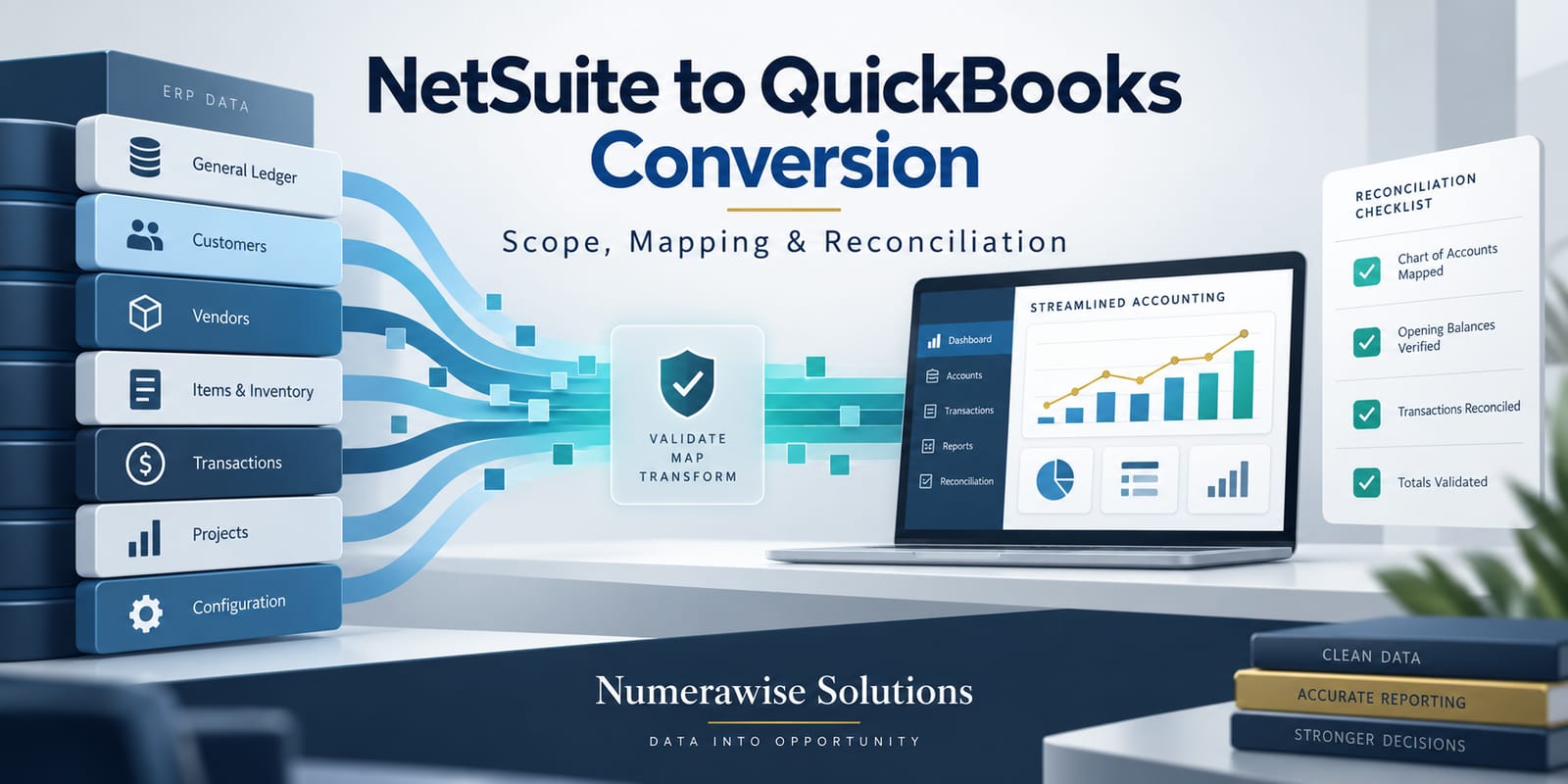
A well-planned NetSuite-to-QuickBooks conversion can reduce administrative complexity for a business that no longer needs a full enterprise resource planning environment. The difficult part is not moving rows between systems. It is deciding which NetSuite structures must be retained, which can be simplified, and how the finance team will prove that QuickBooks represents the same financial position.
This decision often follows a divestiture, restructuring, cost review, change in operating model, or move to a smaller finance stack. Whatever the trigger, the project should begin with business requirements and accounting controls—not an export button.
Confirm that the destination fits the operating model
QuickBooks can be an effective destination for many small and midsize organizations, but it should be evaluated against real requirements. List the entities, currencies, inventory methods, approval levels, revenue processes, integrations, reporting dimensions, and transaction volumes currently in use.
Separate “used because NetSuite offers it” from “required to run the business.” This distinction helps the team simplify without accidentally removing a critical control.
The final destination may be QuickBooks Online Advanced, QuickBooks Enterprise, or a combination of QuickBooks and connected applications. The choice should reflect workflows and reporting needs rather than product familiarity alone.
Define the conversion boundary
NetSuite can contain far more than general-ledger activity. It may also hold CRM data, inventory, purchasing, fixed assets, projects, intercompany transactions, saved searches, custom fields, workflows, and integrations.
Create an inventory of those components and assign each one a destination:
• Convert into QuickBooks
• Move to a connected application
• Retain in a secure archive
• Rebuild as a new process
• Retire after documented approval
This boundary prevents surprises late in the NetSuite to QuickBooks Conversion. It also exposes dependencies, such as a report that relies on a custom field or an approval that is enforced by a workflow.
Choose an appropriate history strategy
Historical scope is one of the largest cost and risk drivers. A company may choose opening balances, current-year detail, selected comparative years, or deeper transaction history.
Opening balances offer the cleanest start, but users must know where older detail will be found. Multi-year history improves in-system comparison, but requires more transformation and testing. A hybrid approach is often practical: convert the activity needed for current operations and reporting, then preserve the remaining NetSuite records in a read-only archive with documented access.
Whichever option is selected, include open receivables, open payables, uncleared bank activity, credits, deposits, active items, and other operational records needed on day one.
A documented history rule prevents the NetSuite to QuickBooks Conversion from expanding unpredictably after testing has begun.
Translate segments into a simpler reporting model
NetSuite commonly uses subsidiaries, departments, classes, locations, projects, and custom segments. QuickBooks uses a different structure, so one-to-one replication may not be possible or desirable.
Begin with the reports management expects after conversion. Work backward from those reports to determine whether information belongs in the chart of accounts, classes, locations, customers, projects, items, or another field.
Avoid forcing multiple concepts into a single field. If department and location mean different things, combining them may shorten the mapping table but weaken future reporting. Conversely, do not recreate unused segments just because they exist in the source.
Prepare a controlled mapping workbook
The mapping workbook should be reviewed by finance, operations, and the conversion team. It should identify source values, destination values, transformation rules, exceptions, owners, and approval status.
Include:
• General-ledger accounts and account types
• Subsidiaries and retained entities
• Customers, vendors, and contacts
• Items, inventory, and services
• Departments, classes, locations, and projects
• Tax settings and payment terms
• Open transactions and credits
• Bank, credit-card, and clearing accounts
• Custom fields that affect reporting or operations
Every fallback or default mapping should be visible. Defaulting unknown values into a generic class can make the import finish while creating weeks of cleanup.
Clean before export
Migration is an opportunity to stop carrying avoidable clutter. Review duplicate records, inactive accounts, obsolete items, old addresses, unapproved transactions, stale purchase orders, unapplied payments, and unexplained balances.
Resolve accounting issues where possible before the final export. If a known issue must move, document its amount, cause, owner, and planned resolution. The destination should not hide a source-system problem.
Test the full workflow
A representative test conversion should include enough data to exercise normal work. Users should be able to review customer history, issue invoices, enter bills, receive and make payments, reconcile bank activity, and run month-end reports.
Test integrations separately. Payment processors, payroll systems, ecommerce tools, expense platforms, and reporting applications may need new connections or mapping rules. A successful data import does not prove that the operating ecosystem is ready.
The NetSuite to QuickBooks Conversion test is complete only when both accounting data and the required daily workflows perform as designed.
Reconcile more than the trial balance
The trial balance is the starting point. Continue with accounts-receivable and accounts-payable aging, bank and credit-card balances, inventory valuation if applicable, retained earnings, fixed assets, deferred balances, sales tax, and other control accounts.
Then compare reporting detail. Totals can agree while transactions are assigned to the wrong customer, class, location, project, or item. Review both financial statements and operational reports.
For each test, record the source total, destination total, variance, explanation, reviewer, and approval date. This reconciliation package becomes the evidence that the NetSuite to QuickBooks Conversion is complete.
Control the cutover
Choose a cutoff date with clear rules for transaction entry. Define who prepares the final export, who updates open activity, who runs the import, who reviews exceptions, and who authorizes go-live.
The first days after launch should include daily review of bank activity, receivables, payables, and unusual postings. The first month-end close is the final end-to-end test of the new environment.
Keep the NetSuite to QuickBooks Conversion issue log open through that first close so every variance has an owner and a documented resolution.
Final perspective
A NetSuite to QuickBooks Conversion should make the accounting operation easier without making the numbers less trustworthy. Success comes from intentional scope, thoughtful simplification, documented mapping, realistic testing, and layered reconciliation.
Numerawise Solutions supports structured accounting data migrations with a focus on traceability, reconciliation, and a destination file the finance team can use with confidence.