Managing a Linux VPS usually involves several tasks. Administrators need to install web servers, configure databases, manage website files, create FTP accounts, schedule backups, and monitor server resources.
Most of these tasks can be completed through Linux commands, but not every developer or agency team wants to manage everything from the terminal.
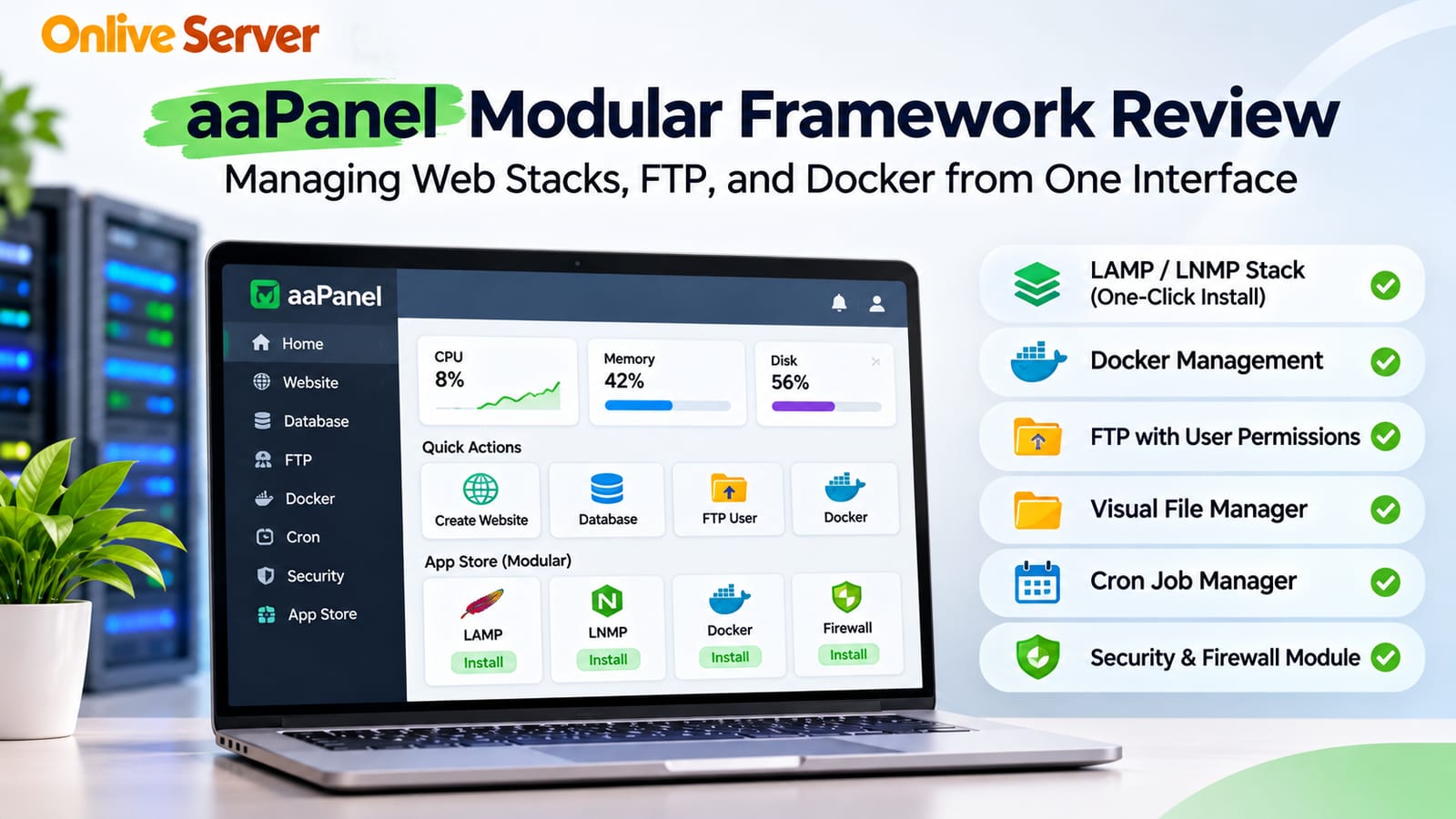
aaPanel provides a web-based interface for handling common server administration tasks. Instead of installing every service manually, administrators can use its modular App Store to add the tools they need.
This aaPanel review for VPS server management examines how the control panel handles website hosting, Docker, file management, FTP, scheduled tasks, and security.
The goal is to understand where aaPanel is useful and where administrators still need technical knowledge.
What Is aaPanel?
aaPanel is a Linux server control panel that provides a graphical interface for managing websites and server applications.
It supports common hosting tasks such as installing web servers, managing databases, configuring PHP environments, and working with website files.
Unlike a fixed hosting environment where every service is installed together, aaPanel allows administrators to select components according to their requirements.
For example, a developer hosting a PHP website may install Nginx, PHP, and MySQL or MariaDB without adding unrelated services.
This modular approach makes aaPanel useful for development servers, small business websites, and agencies managing different application environments.
Some features are available in the free edition, while certain advanced tools and services require paid access.
1. Understanding aaPanel's Modular Framework
One of aaPanel's main features is its App Store.
The App Store allows administrators to install and manage supported server software through the control panel.
Common application categories include web servers, databases, PHP environments, FTP services, and additional management tools.
How the App Store Works
After installing aaPanel, administrators can open the App Store and choose the software needed for their hosting environment.
For example, a WordPress website typically requires a web server, PHP, and a database.
Instead of configuring every component manually, the administrator can install compatible packages through aaPanel.
The panel also provides controls for managing supported services.
This can save time during initial server setup, particularly for developers who are familiar with website management but less experienced with Linux administration.
Advantages of Modular Installation
A modular system allows administrators to avoid installing services that their projects do not need.
This can simplify the hosting environment and reduce unnecessary background processes.
However, installing fewer services does not automatically guarantee better performance.
Server efficiency still depends on application requirements, software configuration, and available hardware resources.
2. Managing LAMP and LNMP Web Hosting Stacks
aaPanel supports common Linux web hosting configurations.
Two familiar examples are LAMP and LNMP.
LAMP Stack
LAMP commonly refers to Linux, Apache, MySQL or MariaDB, and PHP.
Apache is a widely used web server that supports many website applications.
This configuration can be useful for projects that depend on Apache-specific features or existing rewrite rules.
LNMP Stack
LNMP uses Linux, Nginx, MySQL or MariaDB, and PHP.
Nginx is commonly used for serving static content and handling web traffic efficiently.
For PHP applications, Nginx typically forwards dynamic requests to a PHP processing service.
Both stacks can support WordPress and many custom PHP applications.
The right choice depends on application compatibility and the administrator's preferred configuration.
Installing a Web Stack Through aaPanel
The general setup process is straightforward:
Install aaPanel on a supported Linux VPS.
Open the aaPanel dashboard.
Navigate to the App Store.
Select a compatible web server.
Install the required PHP version.
Add a supported database server.
Create a website and configure its domain.
Administrators should check software compatibility before installing or changing major components.
Production websites should also have a verified backup before any significant configuration change.
3. Visual File Manager for Website Administration
aaPanel includes a web-based file manager.
This allows administrators to browse directories, upload files, edit supported text files, and manage file permissions without using the terminal for every operation.
For agencies maintaining multiple websites, this can make routine tasks more convenient.
Common File Manager Tasks
The file manager can help administrators:
Upload website files.
Create and rename directories.
Edit configuration files.
Extract supported archives.
Review file ownership and permissions.
Remove unnecessary files.
These features are useful for developers who frequently update website content or configuration files.
However, file permissions should be changed carefully.
Giving unnecessary write access to application directories can create security problems.
For production environments, administrators should follow the principle of least privilege and avoid editing sensitive files without backups.
4. FTP Management and User Permissions
FTP services are still used in some website management workflows.
aaPanel supports FTP management through compatible server components such as Pure-FTPd.
Administrators can create FTP accounts and assign access to specific directories.
This may be useful when different team members need access to different websites.
Managing FTP Accounts
A typical workflow involves installing the supported FTP service, creating an account, selecting the website directory, and configuring access credentials.
Administrators should avoid sharing one account across multiple users.
Separate credentials make it easier to control access and remove permissions when necessary.
Security Considerations
Traditional unencrypted FTP should not be used for transferring sensitive website files.
Where supported, configure encrypted transfer methods such as FTPS or use SFTP through SSH.
SFTP is a separate protocol and does not require an FTP server.
Restrict access to trusted users and avoid exposing unnecessary services to the public internet.
5. Docker Management Through aaPanel
Docker allows developers to package applications and their dependencies into containers.
This is useful when different projects require different software environments.
aaPanel offers Docker-related management functionality through supported modules or extensions.
Available capabilities depend on the installed aaPanel version and Docker integration.
Why Docker Is Useful for Development Agencies
Consider an agency managing several projects.
One project may use a Node.js application, another may require Redis, and a third may use a custom development stack.
Docker allows these services to run in separate containers while sharing the same VPS host.
This can reduce dependency conflicts between applications.
It also makes development environments easier to reproduce when container configurations are properly maintained.
What Administrators Should Check
Before using Docker through aaPanel, verify that the required Docker features are supported.
Administrators should understand how the panel handles container creation, networking, persistent storage, and restart policies.
Docker containers also share the host operating system kernel.
They should not be treated as complete virtual machines or as automatic security boundaries between unrelated customers.
For sensitive multi-tenant workloads, stronger isolation may be necessary.
6. Cron Jobs and Scheduled Server Tasks
Many websites need recurring background tasks.
Examples include scheduled backups, application maintenance, log cleanup, and periodic scripts.
Linux uses cron to schedule commands at specified times.
aaPanel provides a graphical interface for managing supported scheduled tasks.
Common Uses of Cron Jobs
Administrators can schedule tasks such as:
Running application maintenance scripts.
Creating database backups.
Removing temporary files.
Executing scheduled website operations.
Performing routine housekeeping.
Scheduled tasks should run with appropriate permissions.
Avoid running unnecessary scripts as the root user.
Administrators should also review execution logs to confirm that important tasks are completing successfully.
A scheduled backup is useful only when its output can be restored.
7. Security and Firewall Management
aaPanel provides security-related management features, including firewall controls and additional tools.
The exact features depend on the panel edition, installed modules, and operating system.
A graphical interface can make routine security configuration easier, but it does not replace proper server administration.
Basic Security Practices
After installing aaPanel, administrators should secure the management interface.
Important steps include using strong credentials, restricting administrative access, updating installed software, and reviewing exposed network ports.
The control panel should not be accessible through unnecessary public services.
Firewall rules should allow only the connections required by hosted applications.
Reviewing Security Extensions
aaPanel's modular design allows administrators to install additional functionality.
Before enabling a security extension, check its compatibility, maintenance status, and configuration requirements.
Installing multiple overlapping security tools can create conflicts or make troubleshooting difficult.
A smaller number of properly configured security controls is generally more useful than installing every available extension.
8. Server Monitoring and Resource Management
aaPanel provides dashboard information that can help administrators understand basic server activity.
Depending on the installed version and modules, the interface may display CPU usage, memory consumption, disk activity, and other system information.
These measurements are useful for identifying potential resource problems.
For example, consistently high memory usage may indicate that PHP workers, databases, or containerized applications need closer examination.
However, a dashboard does not automatically explain the cause of every performance issue.
Administrators may still need Linux tools and application logs for detailed troubleshooting.
9. Is aaPanel Suitable for Multi-Project Staging?
aaPanel can be useful for agencies that maintain several development and staging websites.
Its graphical interface helps team members manage common hosting tasks without remembering every Linux command.
For example, a web design agency may use aaPanel to create separate staging domains, manage PHP versions, and organize website files.
Docker support can provide additional flexibility for applications with different dependencies.
Limitations for Multi-Tenant Hosting
A staging server used by one trusted development team has different security requirements from a commercial server hosting unrelated customers.
aaPanel's website management features do not automatically provide complete isolation between tenants.
Administrators should review filesystem permissions, service accounts, container privileges, and database access.
For projects requiring strong isolation, separate VPS instances or other dedicated environments may be more appropriate.
10. Advantages and Limitations of aaPanel
aaPanel has several practical advantages.
Its interface makes common Linux hosting tasks easier to manage. The App Store simplifies software installation, while the file manager and scheduled task tools reduce the need for routine terminal commands.
The modular approach is also useful when projects require different combinations of web services.
However, aaPanel has limitations.
Some advanced functionality may require a paid edition. Docker integration and other modules can vary by release.
Administrators still need Linux knowledge to troubleshoot software conflicts, manage security, and investigate application performance.
The panel is a management tool, not a replacement for understanding the underlying server.
Final Verdict: Is aaPanel Good for VPS Management?
aaPanel is a practical option for developers and agencies that want a visual interface for managing Linux hosting environments.
Its modular App Store, web stack installation tools, file manager, FTP management, and Docker-related features make it suitable for many website and development workloads.
It can be especially useful for smaller teams that need to manage several projects without building every configuration from scratch.
For production use, the decision should depend on application compatibility, required security controls, available support, and the team's technical experience.
If you want to explore the panel further, OnliveServer's aaPanel guide for VPS management provides additional information about the platform.
aaPanel is worth considering when convenience and modular software management are priorities. For demanding multi-tenant or highly customized infrastructure, administrators should carefully evaluate its limitations before deployment.